
Bid and budget changes every morning, each with its reason
SellerPilot reads Amazon's advertising reports every morning and proposes bid raises and cuts, budget changes, negative keywords and harvested keywords, each with the clicks, spend, orders and ACOS that justify it. Approve one, a group or all, edit the amount first, or let the autopilot apply the routine ones.
Bid and budget changes every morning, each with the clicks, spend, orders and ACOS behind it.
- Bids moved toward your target ACOS, inside your lowest and highest bid
- Budget raises for campaigns that sell but run out
- Edit the amount before approving; declined ideas are remembered
- Checked against Amazon before and after every change
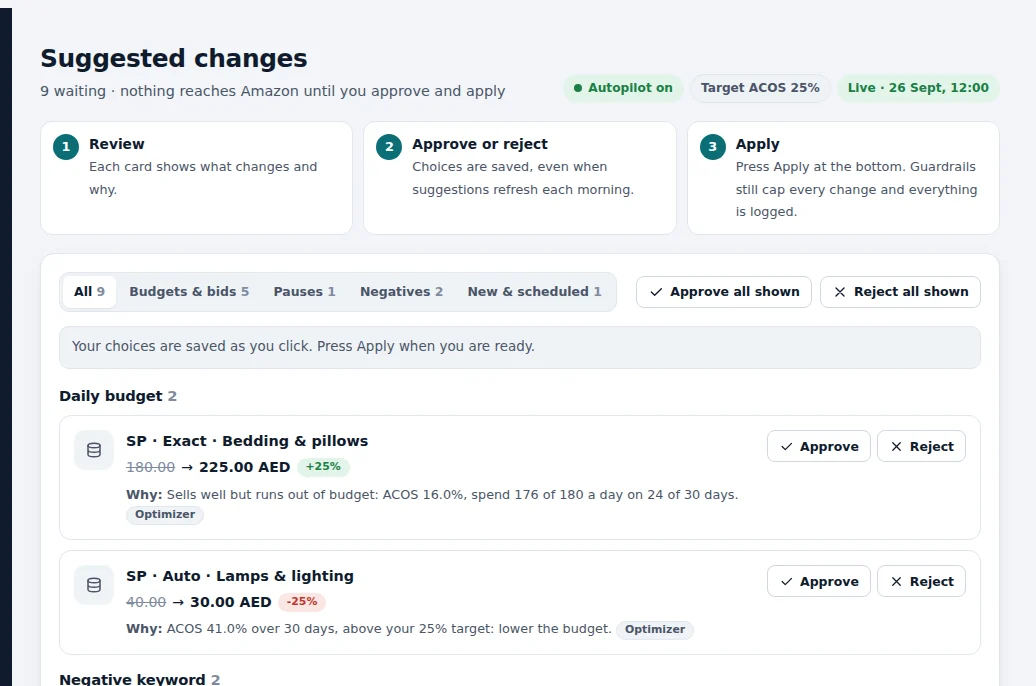
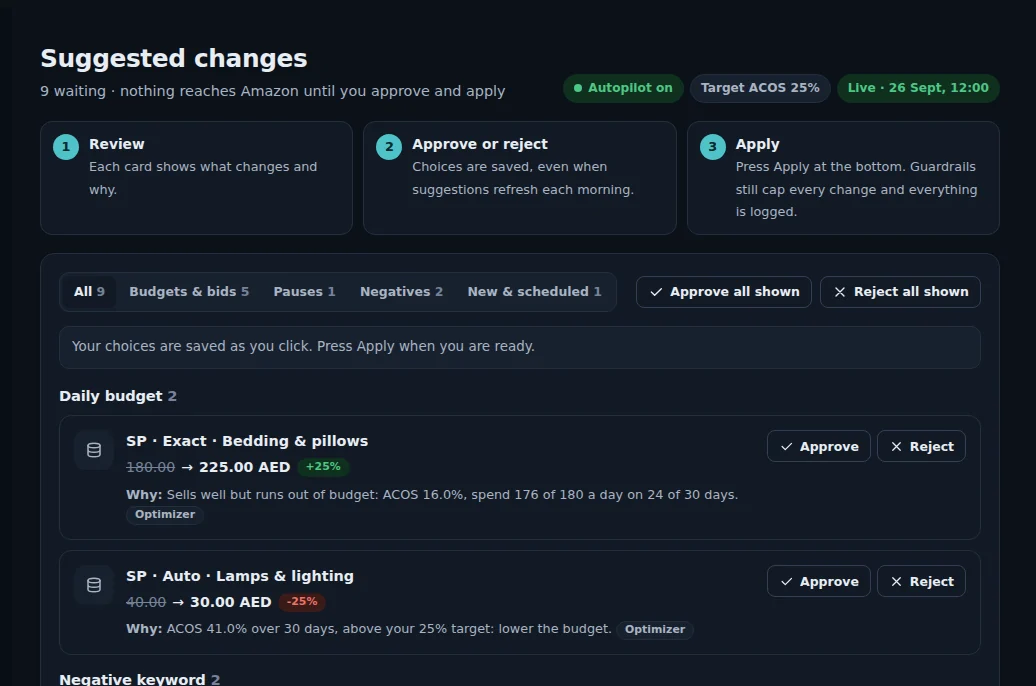
Demo store with sample data.
How it works
Amazon's reports arrive
Keyword, search term, campaign and placement reports for Sponsored Products, Brands and Display are loaded every morning.
Each keyword is compared with its target
A keyword with enough clicks (10 by default) whose ACOS is off target gets a bid move toward the target, about half way in one step by default, so bids do not swing.
Budgets follow results
A campaign at or under 80% of its target ACOS, with at least 3 orders and 85% or more budget use, gets a budget raise of up to 25%; campaigns that spend without selling get cuts.
You approve
Approve one change, a group or all. Edit the amount first if you like; a declined suggestion is not suggested again for 14 days.
Amazon is checked twice
Before applying, SellerPilot checks the current value on Amazon; after applying, it checks the change took effect, and logs it.
One keyword, step by step
The keyword "bamboo bath towels" has a $1.50 bid, 60 clicks, 6 orders and $540 in sales over the settled days: $90 spend, ACOS 16.7% against a 25% target.
It sells well under target, so SellerPilot suggests raising the bid toward the value of a click at 25% ACOS, about half way in one step: from $1.50 to $1.80, inside the $3.00 highest bid. The suggestion shows the clicks, orders, ACOS and rule.
A week later the keyword runs at 21% ACOS with more clicks: close to target, so the next suggestion is small. A keyword that drifts above target gets the same treatment in the other direction.
Illustrative numbers, not a customer result.
Why bids need a reason
Most bid tools show a new number without saying why. SellerPilot shows the rule that made each suggestion and the numbers behind it: clicks, spend, orders, ACOS against the target, and budget use. You learn what drives your account, and you can disagree with a suggestion knowing what you are disagreeing with.
The newest days are left out of bid decisions because orders for recent clicks are still arriving: Amazon attributes a Sponsored Products sale to an ad up to 7 days after the click for sellers, so judging yesterday's clicks today would under-count their sales. SellerPilot leaves the newest 2 days out by default.
Targets that fit each product
One account-wide target ACOS over-spends on low-margin products and under-spends on high-margin ones. Enter your product costs and SellerPilot calculates each product's break-even ACOS; campaigns can use it as their target, adjusted by their playbook.
- Account target, campaign target or break-even ACOS per product
- Placement adjustments for top of search and product pages from their real ACOS
- TACOS (ad spend ÷ all sales) shown next to ACOS
What it does not do
Stated plainly, so you know before you start.
- It does not change a bid on a keyword with too few clicks to judge
- It does not move a bid outside your lowest and highest bid
- It does not apply anything without your approval unless the autopilot is on
- It does not use attribution windows other than Amazon's for each ad type
Questions sellers ask
How does Amazon PPC bid optimization work?
How many clicks before a bid changes?
Does SellerPilot use Amazon's suggested bids?
Can I edit a suggestion?
What happens to suggestions I decline?
Related features
PPC autopilot
An autopilot for bids, budgets, negatives and harvesting that never goes past your limits.
Learn moreSearch term harvesting
Negative keywords for searches that never sell, and winners harvested into exact-match campaigns.
Learn moreCampaign builder
New campaigns in a guided wizard: products, structure, keywords, bids and a budget within your cap.
Learn moreProfit analytics
Profit per order and per product after every Amazon fee, ad cost and your product cost.
Learn moreTry SellerPilot on your own store
Connect Amazon in about five minutes. Your first data arrives within hours and your first suggestions the next morning.