
Amazon Ads partner Listed on the Selling Partner Appstore
Your Amazon team of AI agents
They work every day, check every change, and show you the result. Ads, prices, stock, reviews, listings and claims: small, checked, visible and reversible changes, with one switch per area that you hold.
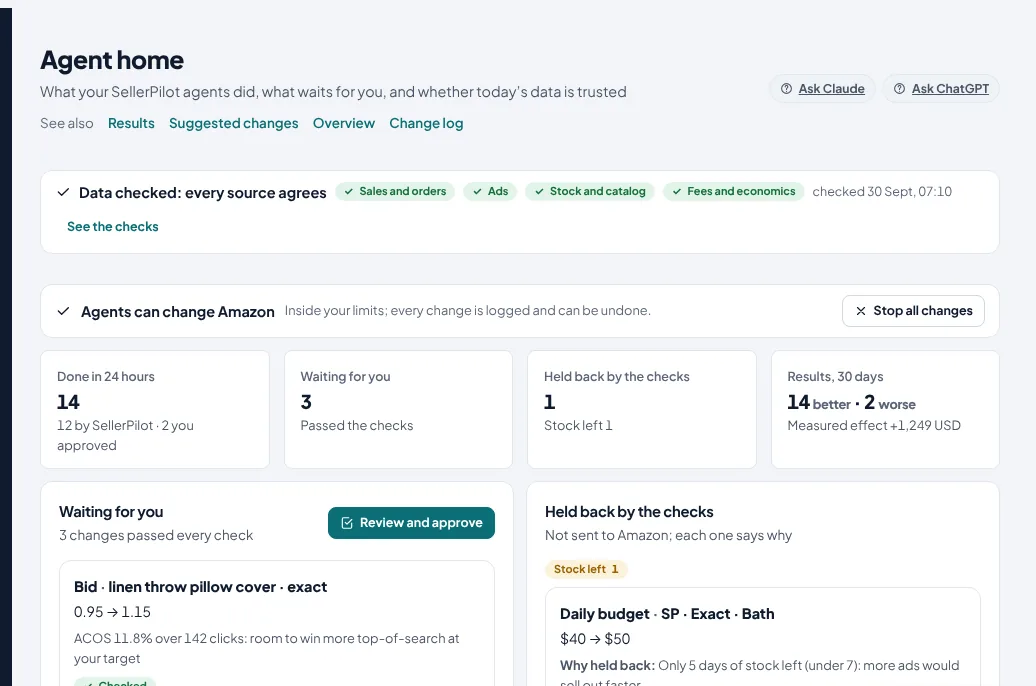
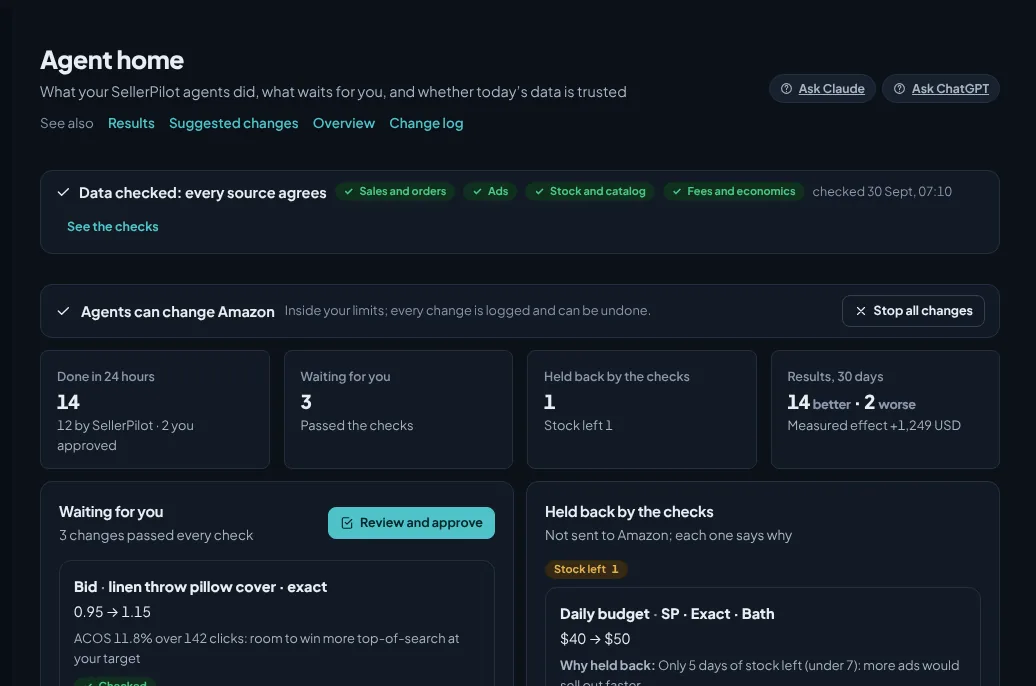
Demo store with sample data.

 Amazon Ads partnerOn the Amazon Ads Partner Network, listed on the Selling Partner AppstoreAmazon Ads and its logo are trademarks of Amazon.com, Inc. or its affiliates.
Start from your problem, not from a feature
Each page shows what SellerPilot checks in your own Amazon data, what the agents do by themselves, what waits for you, and a worked example.
My Amazon sales dropped. Why?
Find the cause of a sales drop: stock, Buy Box, visits, conversion or price, product by product.
My ACOS is too high
Bring ACOS toward your target with bids, budgets and negatives that each show their reason, inside your limits.
Shoppers add to cart but don't buy
See where shoppers stop between the search result, the cart and the order, and what to fix first.
I run out of stock, or sit on too much
Reorder before best sellers run out and stop over-ordering slow ones, with ads that pause when stock is gone.
I lost the Buy Box
See when the Buy Box went, who took it and at what price, and step the price inside your band to win it back.
My account health is at risk
Account health checked daily, orders at risk of an A-to-z claim found early, with the Amazon message that fits.
Every morning, in each marketplace's own time
The agents read Amazon's reports, propose, check and act inside your limits, and Agent home says what happened: done, waiting for you, held back by the checks, and the result of the last 30 days in money.
- Done in 24 hours, with who made each change and why
- Waiting for you: changes that passed every check, one tap to approve
- Held back by the checks, with the rule that stopped each one
- Ready for one tap: reimbursement cases to file and the FBA shipment to send, prepared for you to finish in Seller Central
- Results: better, worse, undone, measured 14 days after each change
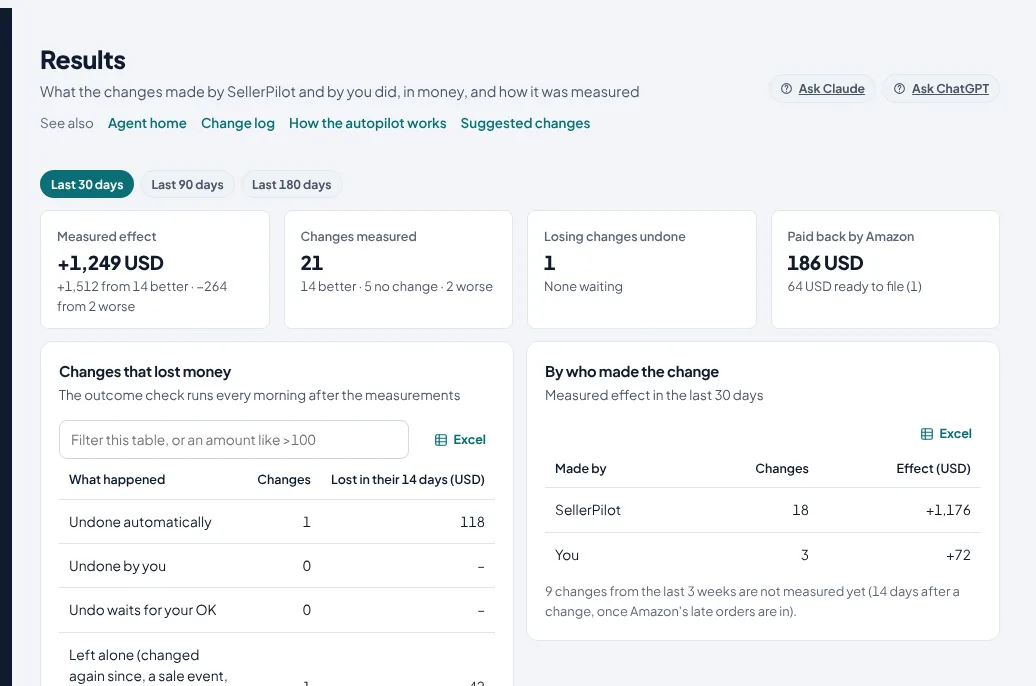
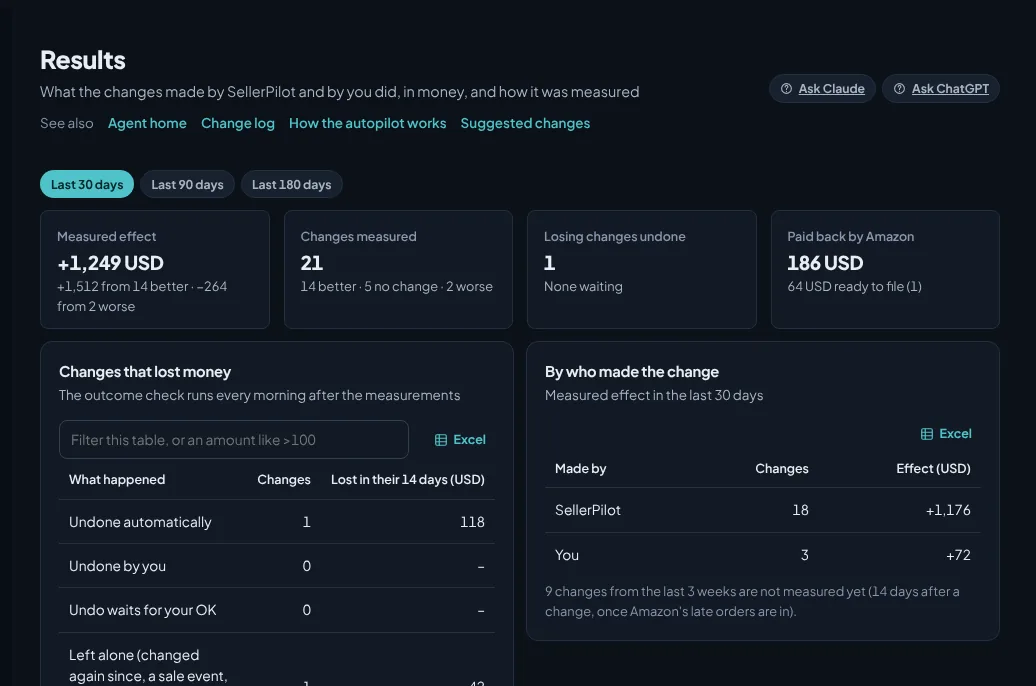
Demo store with sample data; illustrative numbers, not a customer result.
Six gates before any change reaches Amazon
A change has to pass every one of them, in this order. None of them is a promise that every change is right; together they keep each change small, checked and reversible.
Data check
Once a day the data is compared across Amazon's own sources, and a change is applied only when the latest check passed: units in your orders against Amazon's Sales & Traffic report, ad spend in the campaign reports against the product reports, how old the stock read and the fee estimates are.
Independent check
A second check re-tests every proposed change from the stored data, in a separate step from the one that proposed it: the data was checked today, it is fresh, no hold after an undo, enough stock left for more ads, the Buy Box is held, no cut while a sale event runs, the campaign is past its first week.
Hard limits
Every automatic ad change has to fit all 8 guardrails you set: account-wide daily budget cap, lowest and highest bid, highest daily budget per campaign, largest bid and budget move per run and the rest.
Amazon preview and read-back
Before a change is applied, the current value is read from Amazon; after it is applied, it is read again to confirm it took effect.
Outcome check with automatic undo
Fourteen days after a change, once Amazon's late orders are in, its spend and sales before and after are compared, minus what the rest of your store did over the same days.
Kill switch and log
One button on Agent home stops every change.
One switch per area
Off, Suggest or Auto. Every area starts on Suggest, where every change waits for your OK. Auto is part of the Growth plan and up; listings and claims never run by themselves.
| Area | Runs by itself on Auto | Still asks you first | Switch |
|---|---|---|---|
| Ads | Bids toward your target ACOS, budgets for winners within the cap, negatives for wasted searches, harvested search terms into exact campaigns, ad hours | New campaigns over your limit, anything outside the guardrails | Off · Suggest · Auto |
| Prices | One step inside your price band (lowest and highest price), never below break-even, at most 5 a day per store, 7 days between moves on a product, not during a sale event or a deal | Every price without a band or a known cost; anything outside the band | Off · Suggest · Auto |
| Stock | Ads of out-of-stock products paused, put back when stock is in | Shipments and supplier orders | Off · Suggest · Auto |
| Reviews | Amazon's Request a Review for every eligible order, 7 days after the order by default | Nothing: Amazon writes the message | Off · Suggest · Auto |
| Listings | Fixes drafted against Amazon's listing rules | Every listing submit | Off · Suggest |
| Claims | SAFE-T and reimbursement cases found, deadlines tracked, replies drafted | Every filing | Off · Suggest |
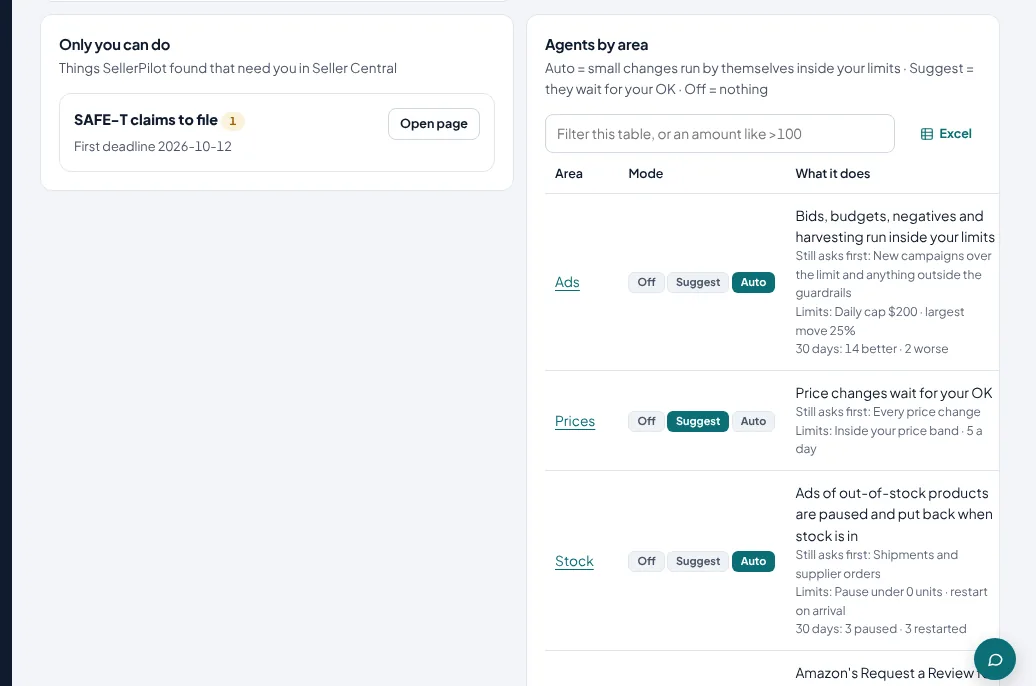
Demo store with sample data; illustrative numbers, not a customer result.
Ask your store. Get answers with the numbers.
Ask SellerPilot in the app, or connect SellerPilot to Claude or ChatGPT. Answers come from your own Amazon data, with the period and where each number comes from.
- Ask in your own language; the answer comes in the language you write
- Connector address mcp.getsellerpilot.com for Claude and ChatGPT, on every plan
- No guessing: if Amazon doesn't give the data, it says so
- In the app it only reads; changes stay on your approval list
Three searches spent money without a single order in the last 30 days:
| Search term | Clicks | Spend |
|---|---|---|
| free shipping | 96 | $58 |
| used | 57 | $38 |
| cheap curtains | 44 | $26 |
Together $122. Want me to block them as negatives in the campaigns that paid for them?
Done: 3 negative keywords are in your approval list. Nothing changes on Amazon until you approve them in SellerPilot or tell me to apply.
With a 30-day lead time, one product needs an order now and two are covered by inbound stock:
| Product | Days left | Action |
|---|---|---|
| Ceramic Table Lamp | 8 | Reorder 242 units now |
| Frying Pan 28 cm | 6 | 240 inbound, lasts 80 days |
| Aroma Diffuser | 0 | 200 inbound; its ads are paused |
Want an FBA shipment plan for the lamp, rounded to your case pack?
Store: $12,140 from 356 orders, up 8% on the week before.
Ads: $6,230 in sales for $920 spend. ACOS 14.8% (was 16.3%), TACOS 7.6%.
Best campaign: SP · Exact · Bedding & pillows, $1,860 at 11.9% ACOS.
To do: one late merchant order, three products to reorder, nine suggestions to review.
Example conversation in Claude with a demo store. ChatGPT works the same way.
Flat pricing. Never a percentage of your ad spend.
Every core feature on every plan; Suggest mode on every plan, Auto mode from Growth. Plans differ in marketplace connections, team seats and ad spend.
Starter
One store in one Amazon marketplace.
- 1 marketplace connection
- 1 team seat
- Ad spend up to $5,000 per 30 days
- Every core feature: ads, SellerPilot AI, claims, stock, deals, research, money
- AI agents on Suggest: every change waits for your OK
- Claude and ChatGPT connection
Growth
Brands selling in several marketplaces.
- Up to 5 marketplace connections
- 3 team seats (admin, manager or view-only)
- Ad spend up to $25,000 per 30 days
- Every core feature: ads, SellerPilot AI, claims, stock, deals, research, money
- AI agents on Suggest and Auto (one switch per area)
- Claude and ChatGPT connection
- Daily report emails
- Private connector for other AI tools
Agency
Agencies and multi-brand sellers.
- Up to 30 marketplace connections (stores × countries)
- 10 team seats (admin, manager or view-only)
- Any ad spend
- Every core feature: ads, SellerPilot AI, claims, stock, deals, research, money
- AI agents on Suggest and Auto (one switch per area)
- Claude and ChatGPT connection
- Daily report emails
- Private connector for other AI tools
Set up in about five minutes
Your first data arrives within hours; your first suggestions the next morning.
Start your trial
Sign up with your email. No card needed.
Connect Amazon
Approve SellerPilot in Seller Central and Amazon Ads. Your marketplaces are found for you; no keys to copy.
Review the first suggestions
Every area starts on Suggest. Approve what makes sense, decline the rest, and set your own limits.
Switch an area to Auto when you trust it
Routine changes then run every morning inside your limits, measured 14 days later. One button stops everything.
Security and control
Questions
What does SellerPilot do?
Does it change my Amazon account by itself?
What stops a wrong change?
Where does the data come from?
Which marketplaces?
How much does it cost?
SellerPilot is a partner of Amazon Ads
Registered on the Amazon Ads Partner Network and listed on the Amazon Selling Partner Appstore. SellerPilot connects through Amazon's official Amazon Ads API and Selling Partner API, approved by you on Amazon's own pages.
Amazon, Amazon Ads, and all related logos are trademarks of Amazon.com, Inc., or its affiliates. We are an independent service provider and are not affiliated with or endorsed by Amazon.
Try SellerPilot on your own store
Connect Amazon in about five minutes. Your first data arrives within hours and your first suggestions the next morning.
No card needed. Nothing to cancel.