
Everything SellerPilot does
Advertising, automation, SellerPilot AI, account health and claims, orders and stock, deals, listings, research, reviews and money, all from your own Amazon data. Here are the highlights.
SellerPilot works from your own Seller Central and Amazon Ads data: Amazon PPC suggestions and an optional autopilot with guardrails, profit per order, restock planning, account health and A-to-z claims, deals, listings, keyword and product research, review requests, buyer messages through Amazon and SellerPilot AI, from your own Seller Central, Vendor Central and Amazon Ads data.
Amazon Ads, optimized every day
Sponsored Products, Sponsored Brands and Sponsored Display. SellerPilot loads Amazon's reports every morning and proposes changes with the numbers that justify them.
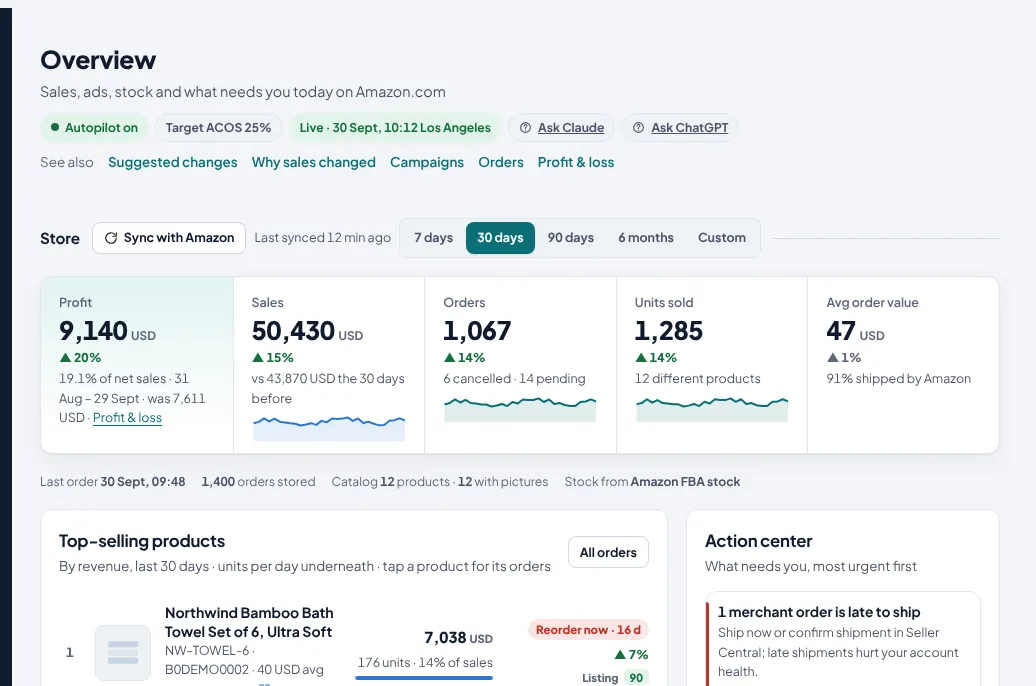
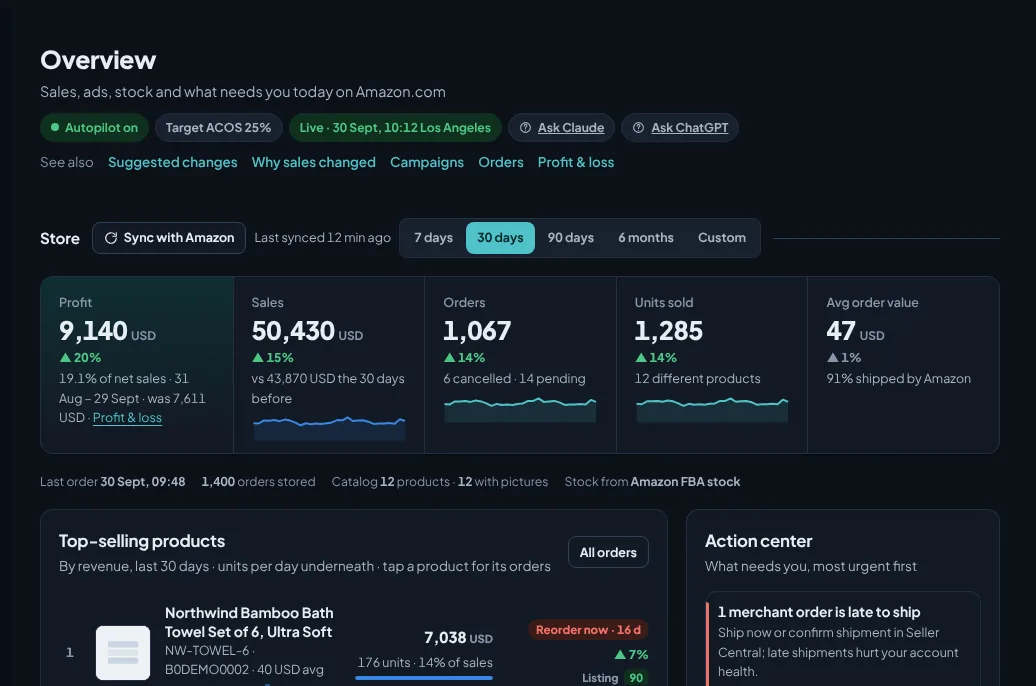
The whole business on one screen
Store revenue, orders, units and ad spend against the period before; the action center with what needs you today; best sellers with stock and listing score; rising and falling products.
- Profit after every fee and cost first, against the period before
- 7, 30 and 90-day views with the previous period
- Action center: late orders, stock-outs, listing errors, suggestions waiting
- ACOS and TACOS (ad spend as a share of all sales) against your targets
- Plain-language weekly summary
Every change comes with its reason
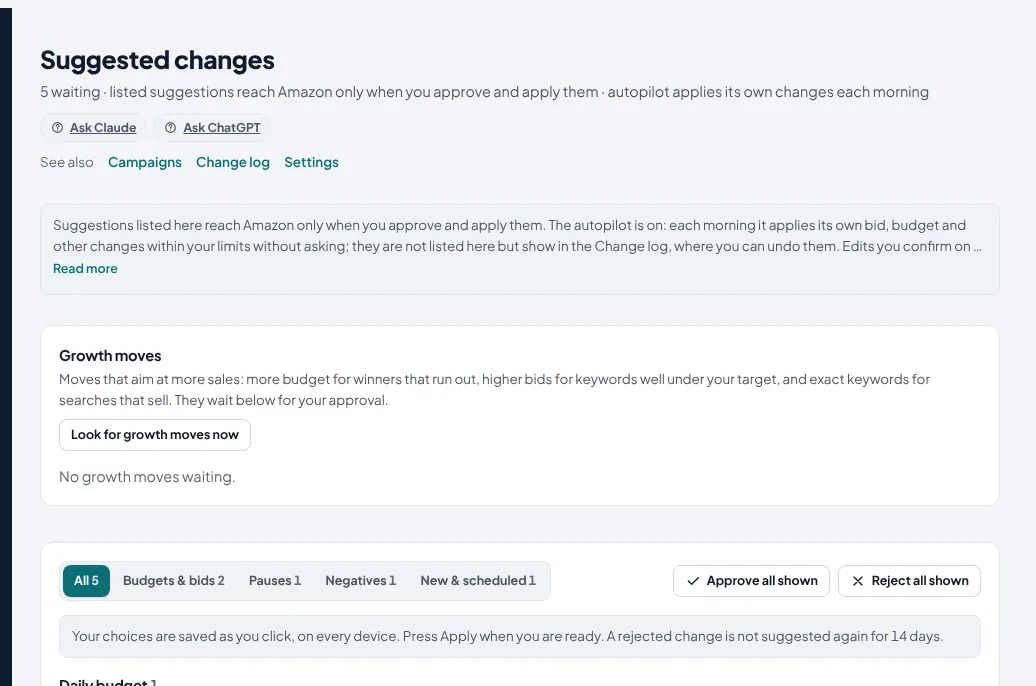
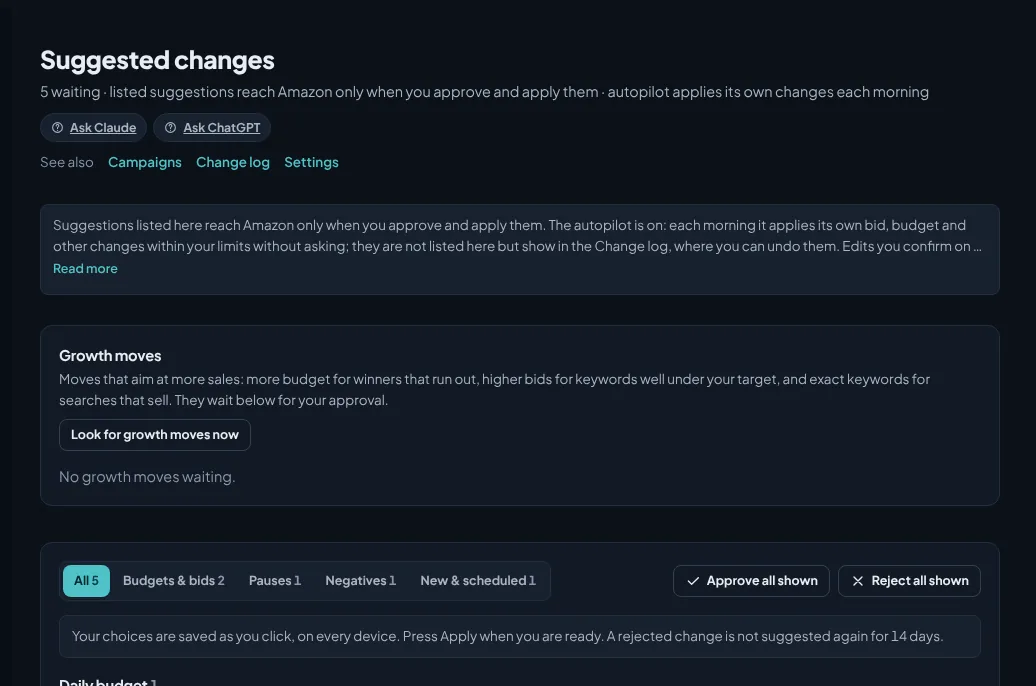
Bid raises and cuts, budget changes, negative keywords, harvested keywords, paused ads and placement changes, each with the clicks, spend, orders and ACOS behind it.
- Approve one, a group, or all
- Edit the amount before approving
- Declined suggestions are remembered
- Checked against Amazon before and after the change
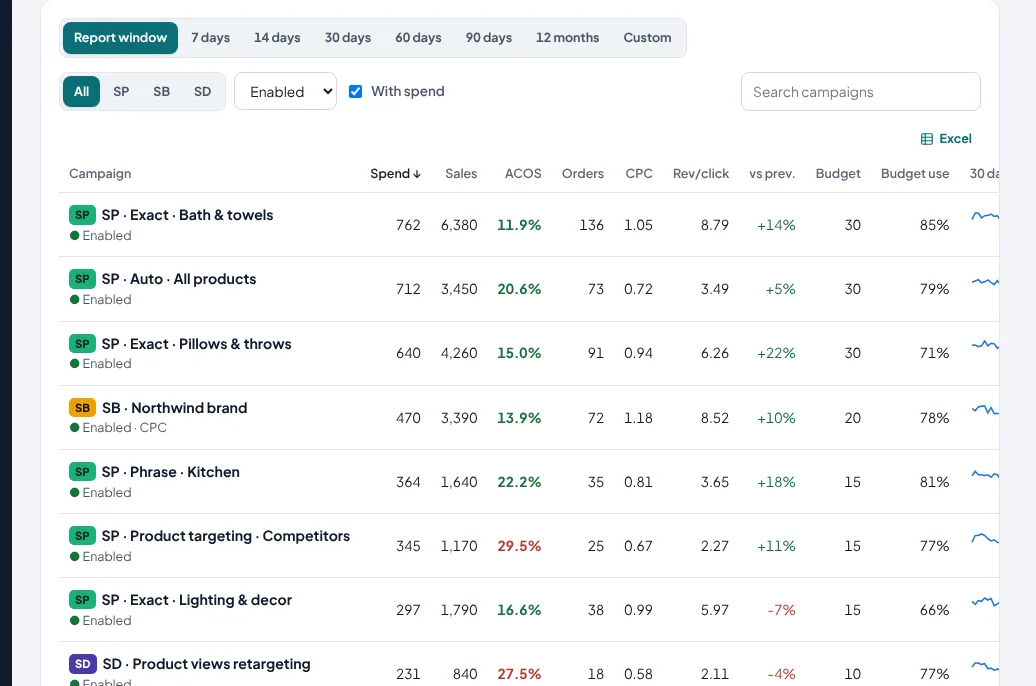
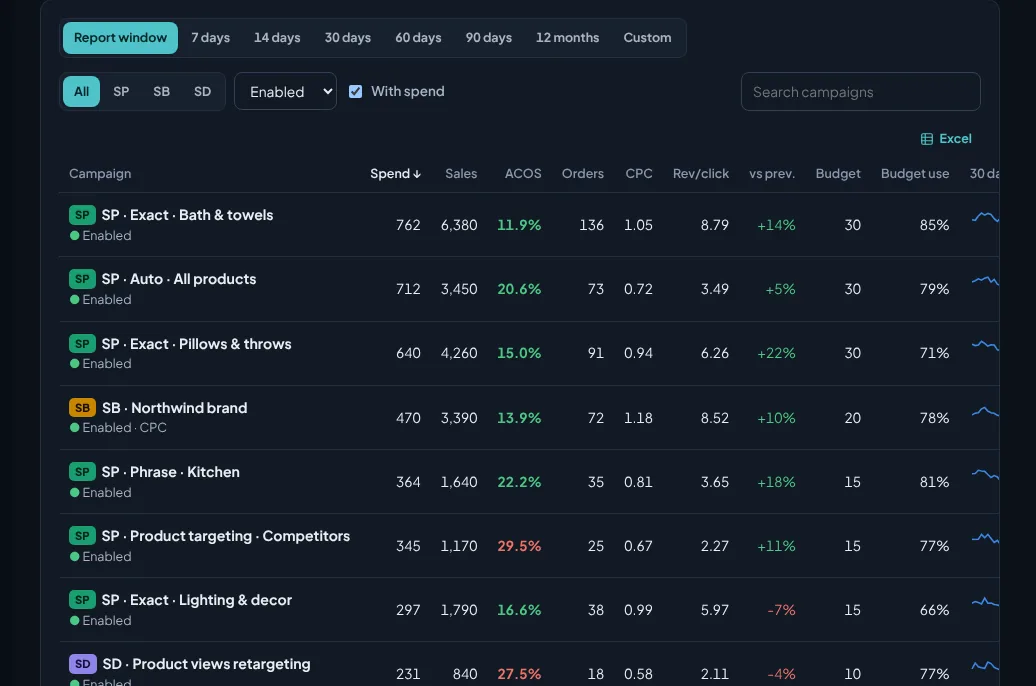
Every campaign with its 30-day trend
Spend, sales, ACOS, orders, CPC, revenue per click, budget use and a 30-day trend for every campaign, filtered by type and status.
- Budget-limited winners flagged
- Tap a campaign for its details and changes
- Sponsored Products, Brands and Display side by side
Stop paying for searches that never sell
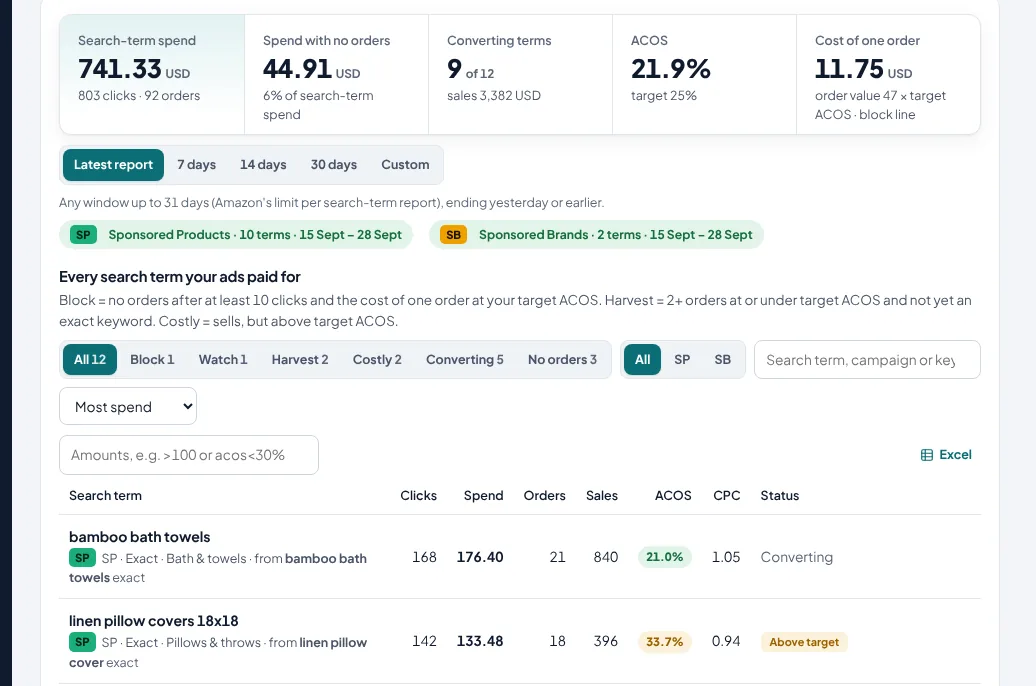
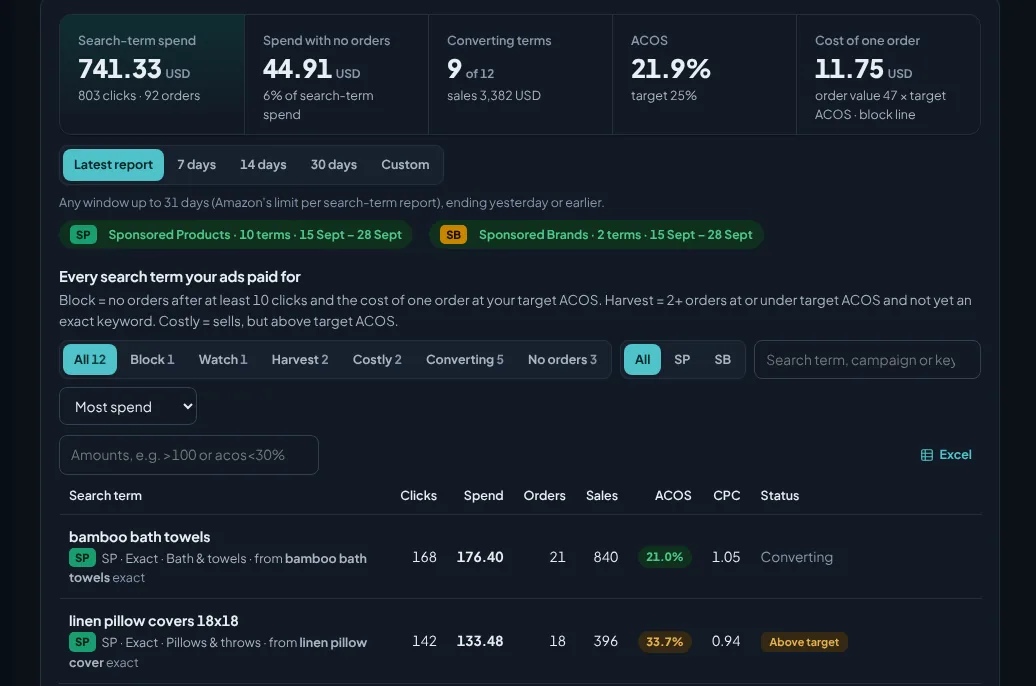
Every customer search term with spend, clicks, orders and ACOS; n-gram analysis finds the words that waste money across many searches.
- One-click negative exact or phrase
- Winning searches harvested into exact-match campaigns
- Search share from Brand Analytics (Search Query Performance)
- Keyword rank tracking for the searches you care about
New campaigns in a guided wizard
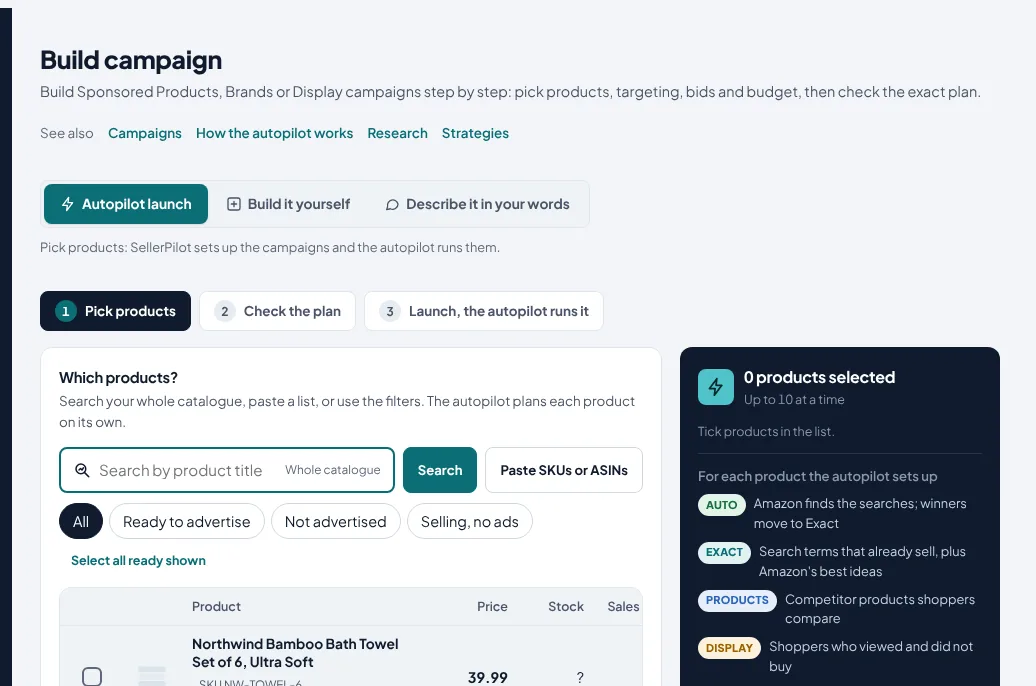
Pick products with their pictures, stock and margin; SellerPilot proposes the structure, keywords, bids and a budget within your cap, and shows a preview before anything is created.
- Auto, keyword, product and harvest campaigns
- Rank push with one campaign per hero keyword, and liquidation campaigns
- Exact keywords kept out of phrase, broad and auto campaigns
- Suggested bids from break-even ACOS
- Copy a campaign to another marketplace
An autopilot with guardrails you set
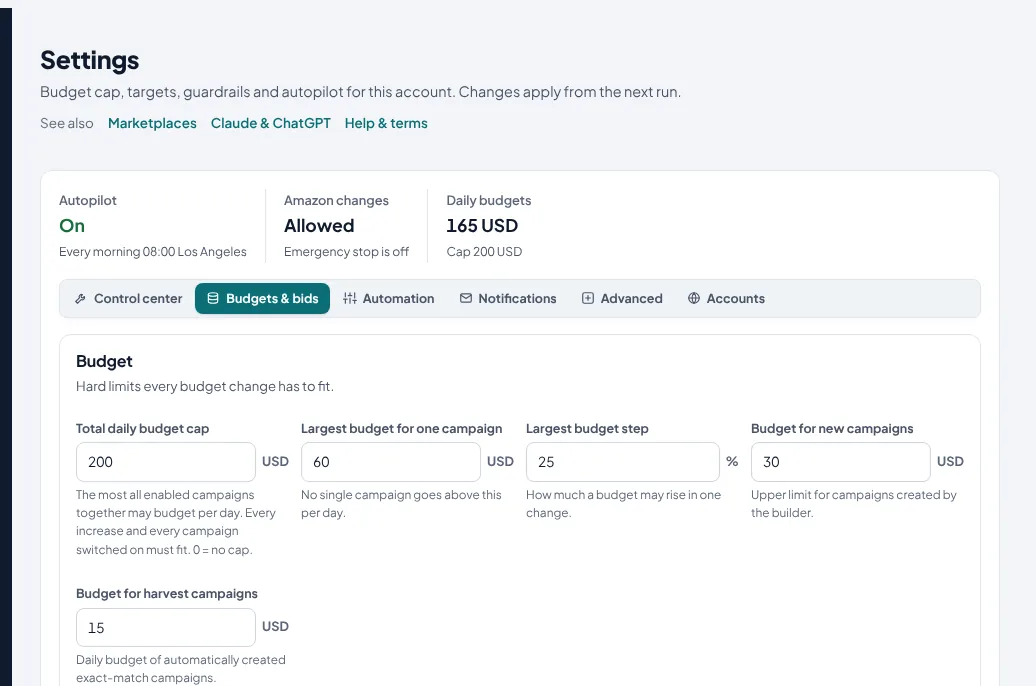
Off until you switch it on, per marketplace. When on, it runs every morning within your limits and writes every change to the log.
Routine moves every morning, inside 8 guardrails
Bid changes toward your target ACOS, budget raises for campaigns that sell but run out, cuts for campaigns that don't, negatives for wasted searches. Every automatic change stays inside these guardrails:
- Account-wide daily budget cap
- Lowest and highest bid
- Highest daily budget per campaign
- Largest bid and budget move per run
- Minimum clicks before a bid changes
- Maximum changes per run
- Stock and Buy Box guard: ads pause when a product can't sell
- Undo hold: a change you undo is left alone for 14 days
- Undo any change from the change log
A strategy for every campaign
Six playbooks run your campaigns the way each product needs: Launch for new products, Rank to push organic rank on hero keywords, Growth, Profit, Defend for your brand searches, and Liquidate for overstock. Each sets the target from the product's break-even ACOS and its own bid steps, keyword harvesting, negatives, budgets and top-of-search.
- Strategy advisor recommends a playbook for every campaign, with the reason
- Automatic strategy from each product's sales, stock and brand searches
- Organic-rank aware bids for Rank and Profit
Extra steps for larger accounts
Each step is off until you turn it on, and each works inside the same guardrails.
- Move budget to winners: budget goes from wasteful or unused campaigns to budget-limited winners; the total stays the same
- Conversion-rate guard: lower bids on products whose conversion rate collapsed
- Competitor out-of-stock boost: higher bids on a watched competitor's product and brand keywords while it has no offer, back when it returns
- Spend-spike hold: no budget increase for 2 days after a campaign spends far more than usual, with an alert
- TACoS steering: targets nudged so ad spend moves toward your TACoS goal
Ads that know your stock
Ads for products that are out of stock or lost the Buy Box pause and resume by themselves; campaigns lower their budget when stock will not last until the next delivery.
- Stock guard for FBA and merchant stock
- Budgets restored when stock is back
- Sale events: budget boosts and no cuts during White Friday or Prime Day
The right placement, and ads off in the hours that don't sell
Top-of-search and product-page adjustments from their real ACOS. Dayparting: pause a campaign in the hours you choose, and restart it automatically, in your marketplace's time zone.
- Placement changes in steps you choose
- Pause hours per campaign, restarted by themselves
- Upcoming changes shown before they run
Every suggestion says which rule made it, and why
The defaults below follow your targets and limits, which you set in Settings. The autopilot never goes past your account-wide daily budget cap or your largest allowed move.
12 clicks and no orderThenadd it as a negative keyword80% of your target, orders ≥ 3 and budget use ≥ 85%Thenraise the daily budget, up to 25%10+ clicks and its ACOS is off your targetThenmove its bid toward the target, inside your lowest and highest bidAsk your store, in the app or in your assistant
SellerPilot AI answers from your own Amazon data and writes buyer messages that follow Amazon's rules. The same data is available in Claude and ChatGPT through our connector.
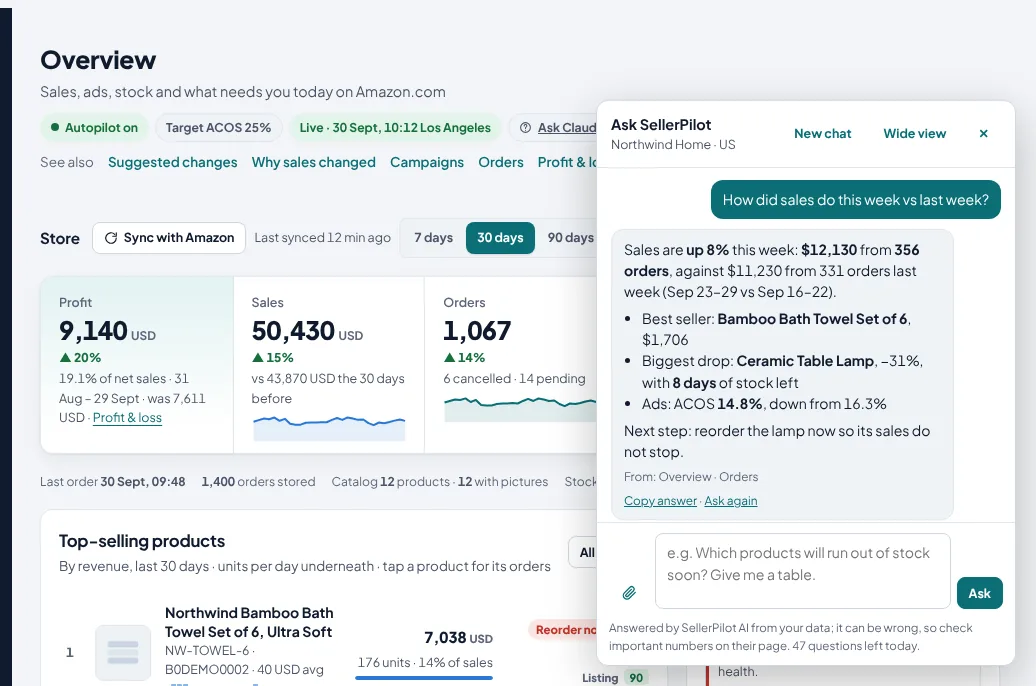
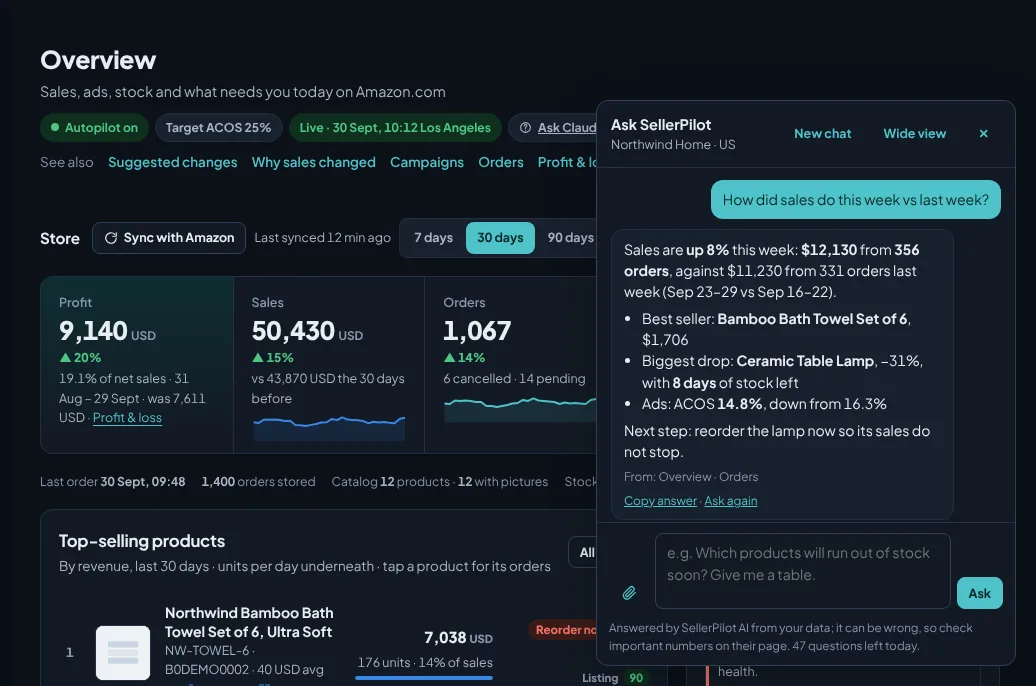
A chat on every page of the dashboard
Ask about sales, ads, stock, orders, claims, account health or money for the marketplace you are looking at. SellerPilot AI looks the numbers up in your data, says the period and where each number comes from, and answers in the language you write in.
- Ask for a table: sort it, then save it as Excel, CSV or PDF, or copy it into Google Sheets. Long lists download in full
- Read-only: it cannot change prices, ads, listings or messages
- Points you to the SellerPilot page or Seller Central screen that does the job
- If Amazon doesn't give the data, it says so instead of guessing
- Included on every plan, with a daily question limit
Buyer messages that pass Amazon's rules
SellerPilot AI writes a template for an automatic message rule, a message for one order, or a reply to a buyer message you paste in. Every text is checked against Amazon's messaging rules: only about the order, no links, email addresses, marketing or review requests.
- You edit and send; nothing goes out by itself
- Placeholders for the order number, product and ship-by date
- Sent only through Amazon Buyer-Seller Messaging
120+ tools behind one connector
Everything on this page is available to your own assistant: reports, suggestions, approvals, the campaign builder, listing edits and research. Changes still follow your approval rules.
- Sign in with your SellerPilot email (OAuth)
- Works with Claude on every plan and with ChatGPT where connectors are allowed
- Private connector for other AI tools (Growth and Agency)
- Disconnect any time from your account page
mcp.getsellerpilot.comCopy the exact address from your account page.What a conversation looks like
Pick a question. The answers come from SellerPilot's tools, on your data, and changes go to your approval list.
Three searches spent money without a single order in the last 30 days:
| Search term | Clicks | Spend |
|---|---|---|
| free shipping | 96 | $58 |
| used | 57 | $38 |
| cheap curtains | 44 | $26 |
Together $122. Want me to block them as negatives in the campaigns that paid for them?
Done: 3 negative keywords are in your approval list. Nothing changes on Amazon until you approve them in SellerPilot or tell me to apply.
With a 30-day lead time, one product needs an order now and two are covered by inbound stock:
| Product | Days left | Action |
|---|---|---|
| Ceramic Table Lamp | 8 | Reorder 242 units now |
| Frying Pan 28 cm | 6 | 240 inbound, lasts 80 days |
| Aroma Diffuser | 0 | 200 inbound; its ads are paused |
Want an FBA shipment plan for the lamp, rounded to your case pack?
Store: $12,140 from 356 orders, up 8% on the week before.
Ads: $6,230 in sales for $920 spend. ACOS 14.8% (was 16.3%), TACOS 7.6%.
Best campaign: SP · Exact · Bedding & pillows, $1,860 at 11.9% ACOS.
To do: one late merchant order, three products to reorder, nine suggestions to review.
Example conversation in Claude with a demo store. ChatGPT works the same way.
Messages, claims and account health
The problems that cost an account the most, in the same morning check as your ads. Every buyer message goes through Amazon, never email.
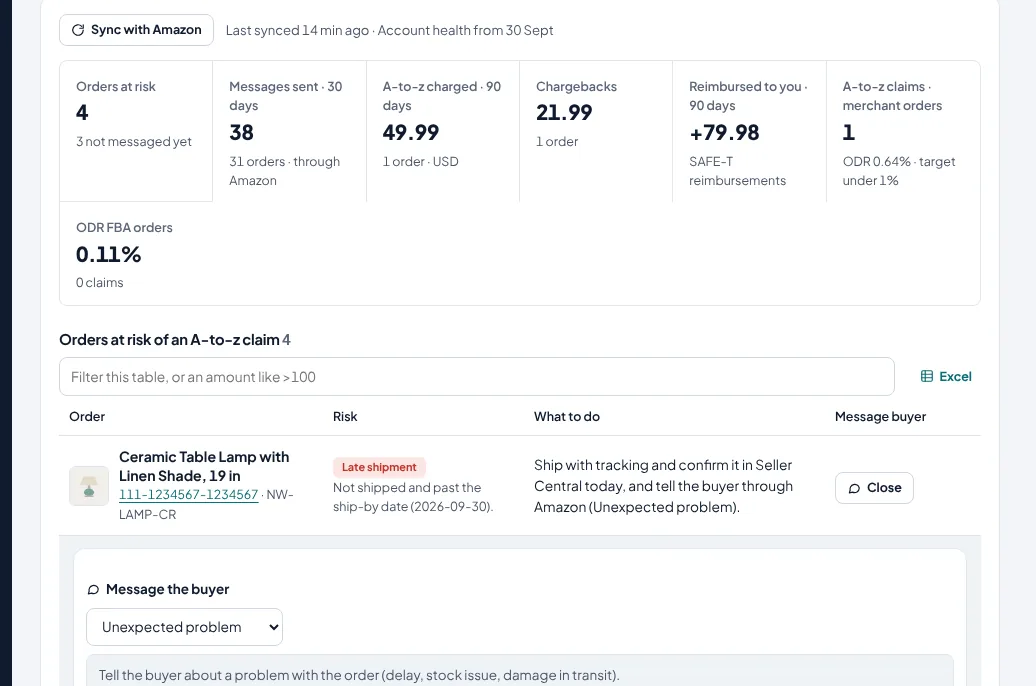
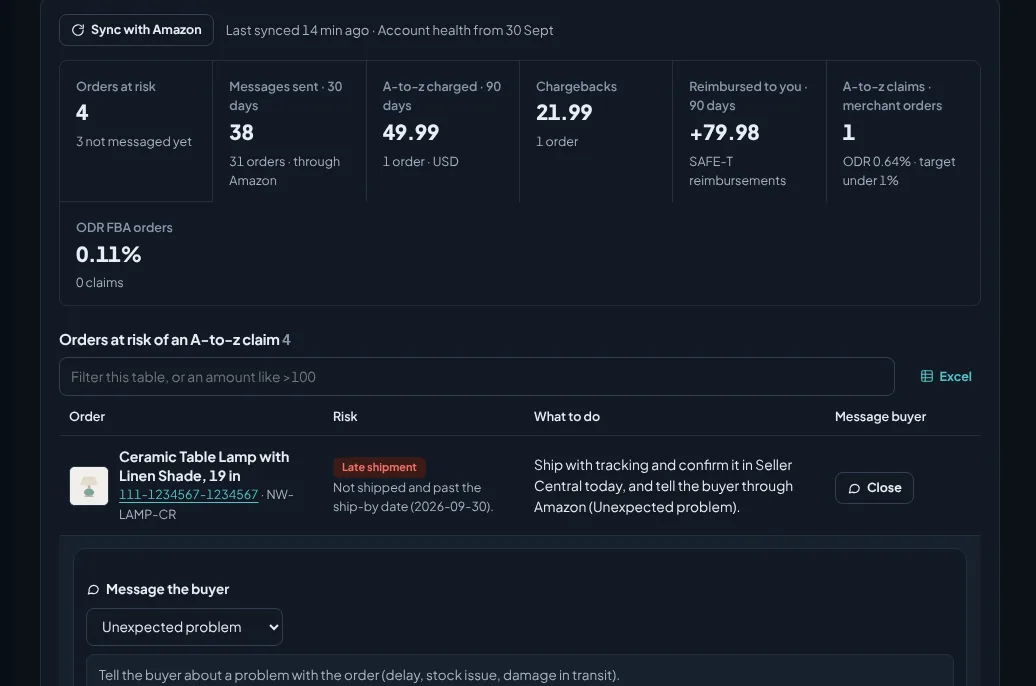
Orders at risk of an A-to-z claim, and what Amazon charged
Orders at risk of an A-to-z claim, each with the Amazon message that fits. Every A-to-z claim, chargeback and SAFE-T reimbursement per order, with what Amazon charged or paid, and your Order Defect Rate.
- Messages through Amazon only, like review requests
- Claims and chargebacks Amazon charged, per order
- SAFE-T reimbursements next to them
- Amazon's API does not show open A-to-z claims or buyer messages: answer those in Seller Central
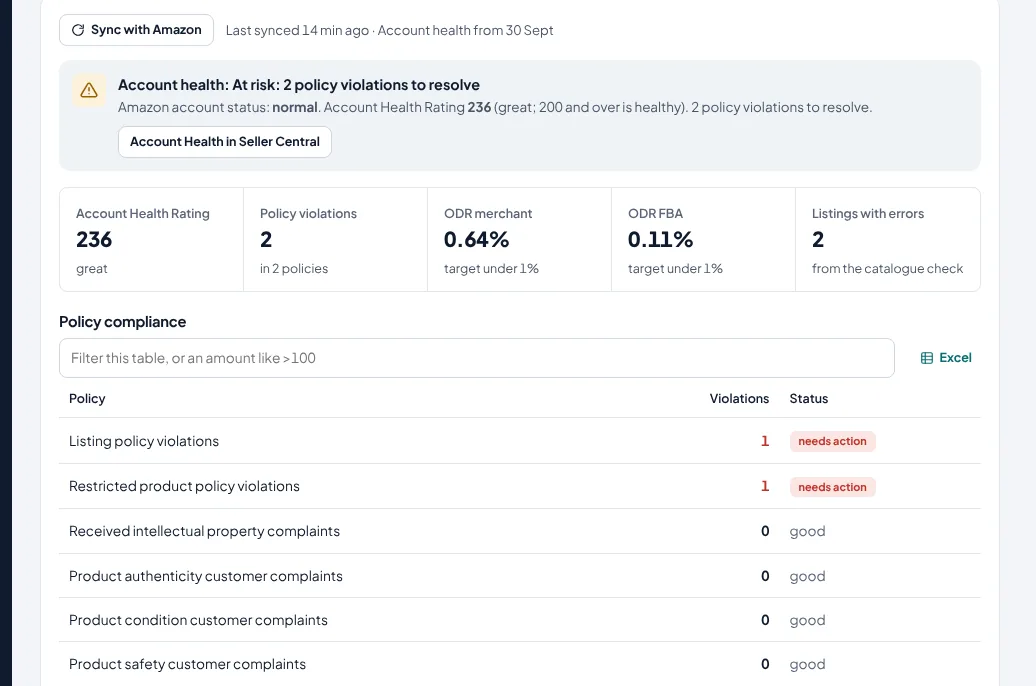
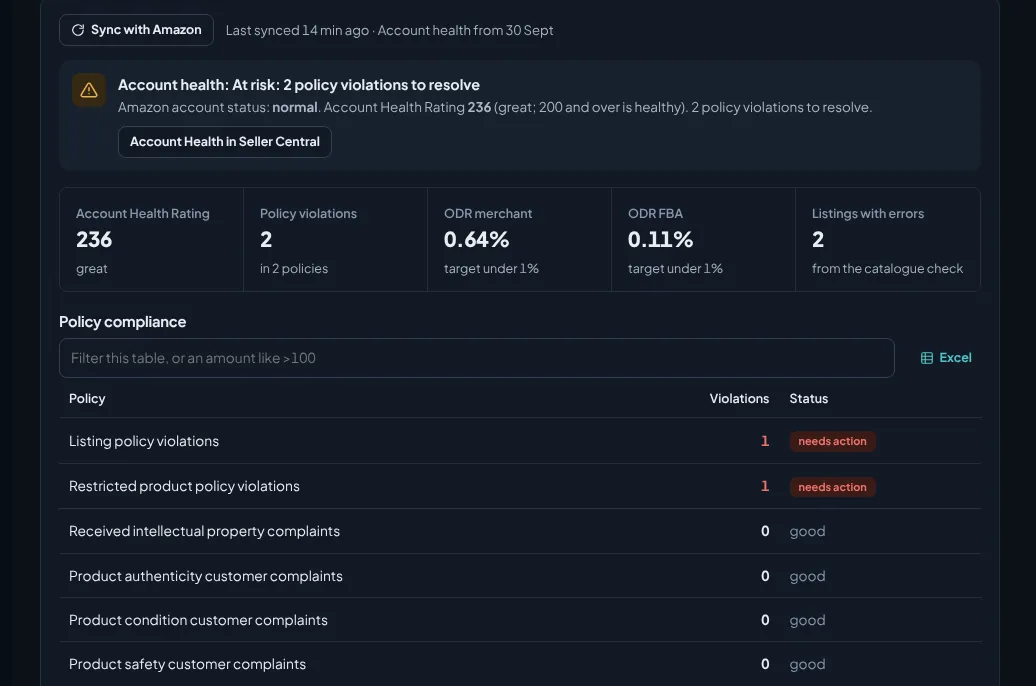
Your Account Health Rating, checked daily
Account status, Account Health Rating, every policy with the violations Amazon counts (new policies included), Order Defect Rate, late shipment and cancellation rates, and listings with Amazon errors. Loaded once a day from Amazon's Account Health report.
- Every policy with violations, not only the familiar ones
- Performance rates against Amazon's targets
- Alerts when something needs you
Five situations, your own templates
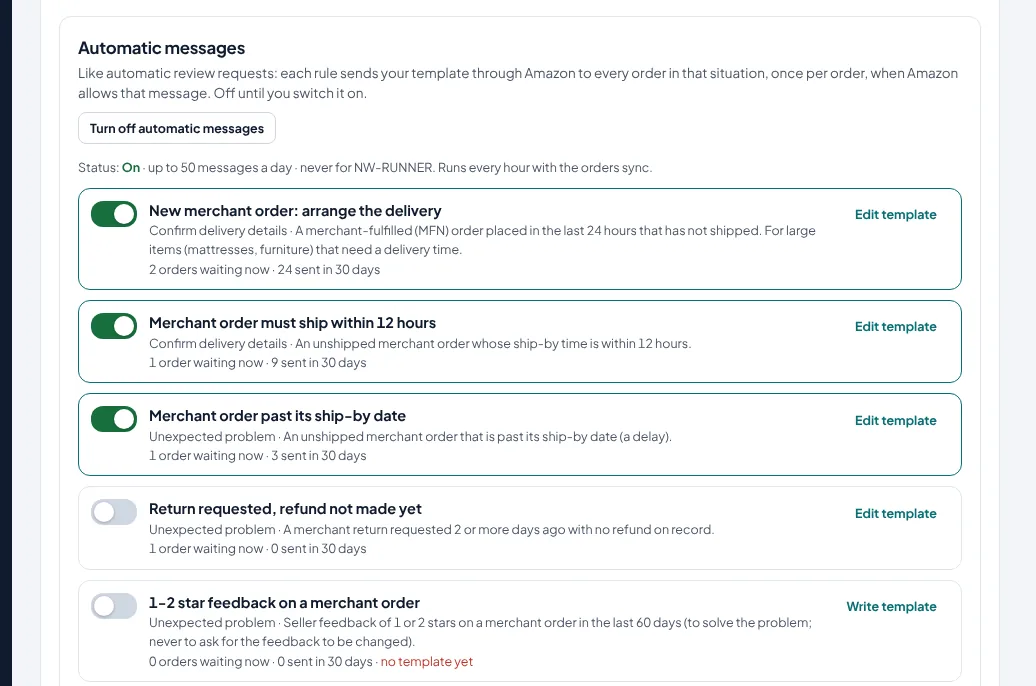
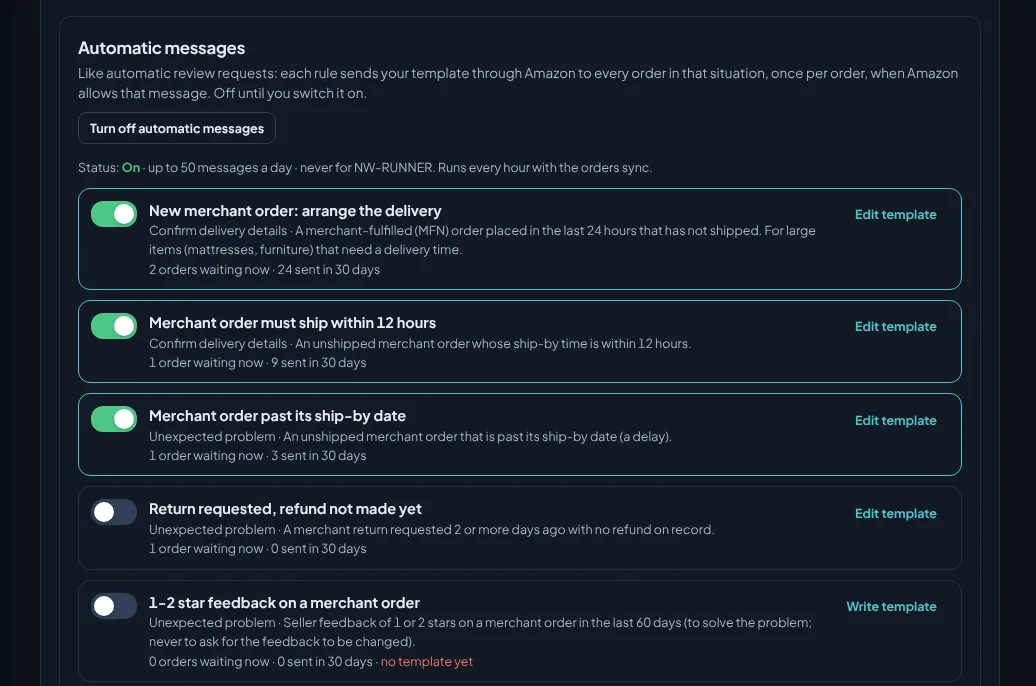
Five rules, each with your own template and its own on/off switch, all off until you switch them on: arrange delivery for a new merchant order, an order that must ship today, an order past its ship-by date, a return whose refund is still pending, and 1-2 star feedback on a merchant order.
- Templates checked against Amazon's rules before a rule can be switched on
- Sent through Amazon Buyer-Seller Messaging, once per order and rule
- Only when Amazon offers that message type for the order
- Excluded SKUs and a daily limit
Orders, inventory and FBA shipments
From Amazon's order and FBA reports, refreshed every hour, or right away when you press Sync with Amazon.
Every order, with what needs doing
FBA and merchant orders with their items and status; merchant orders past or near the ship-by date are flagged in the morning.
- Order details with item prices, promotions and tax
- Buyer messages through Amazon's allowed templates
- Sales by product with ad share and TACOS
The latest data when you want it
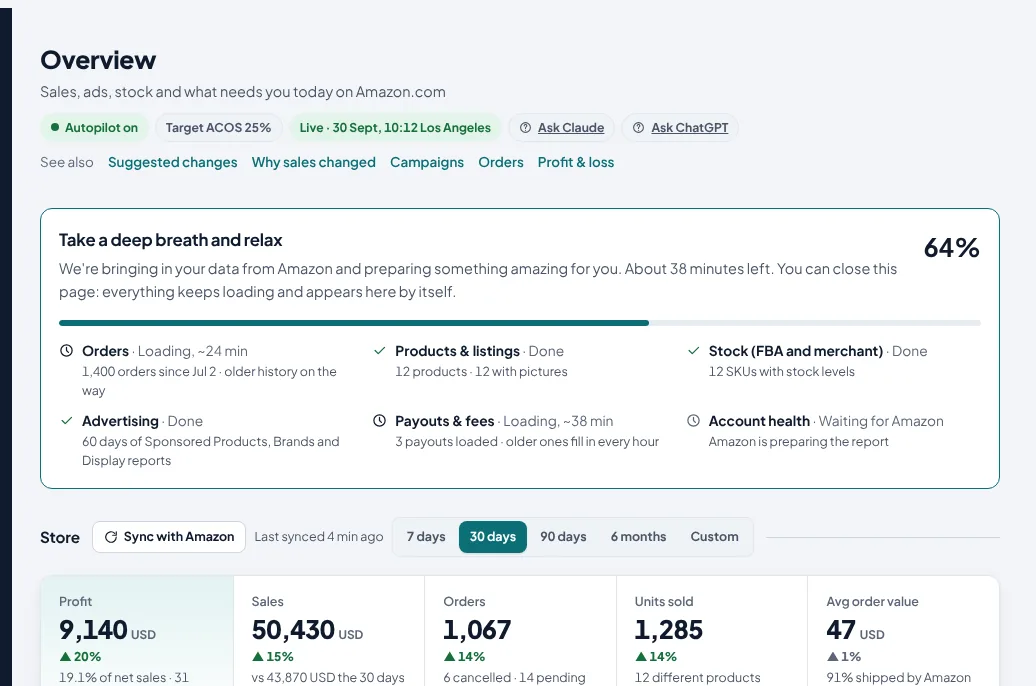
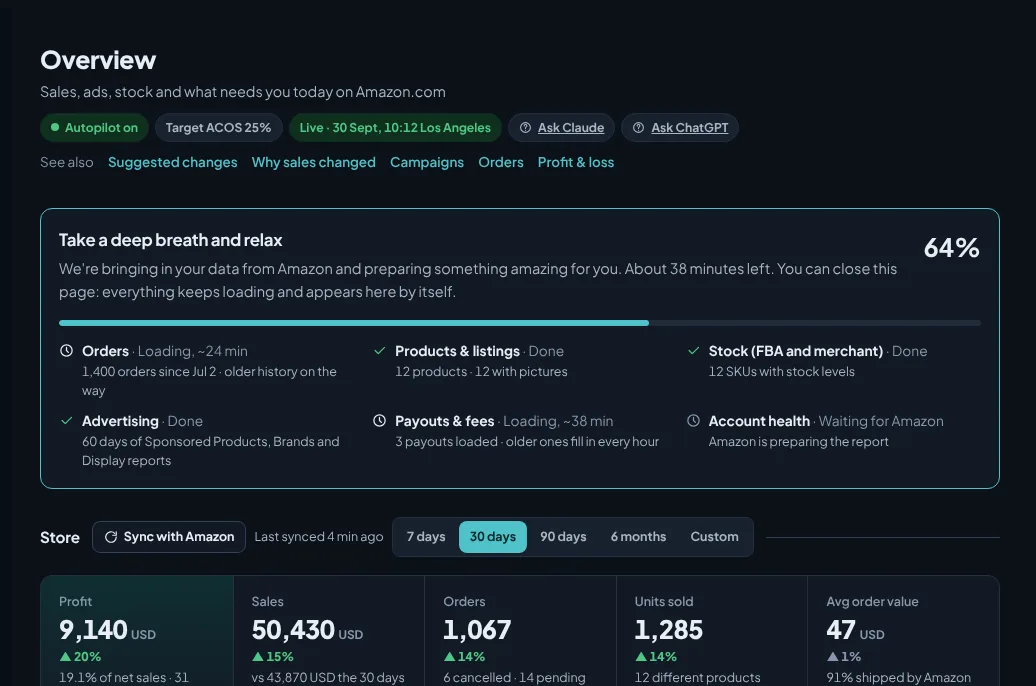
Press Sync with Amazon on the Overview or Orders to bring in the latest orders, stock, payouts and ad data now. On a new account, a set-up progress card shows each part of your data as it loads, and the minutes left.
- Available again every 10 minutes
- Shows when you last synced
- You can close the page while the first load runs
Know what to reorder, and how much
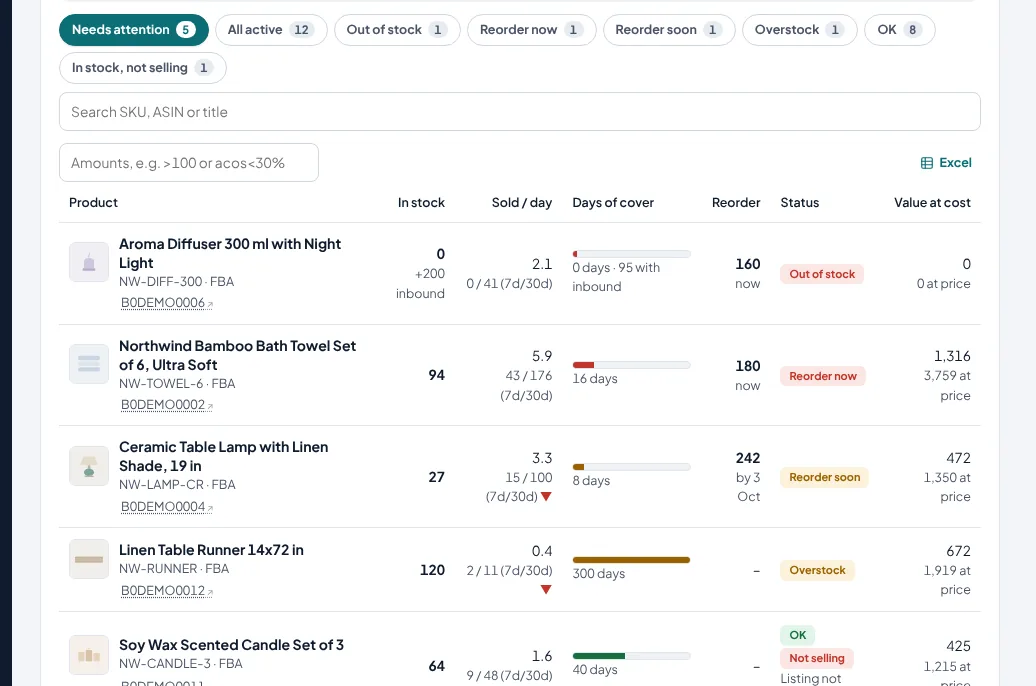
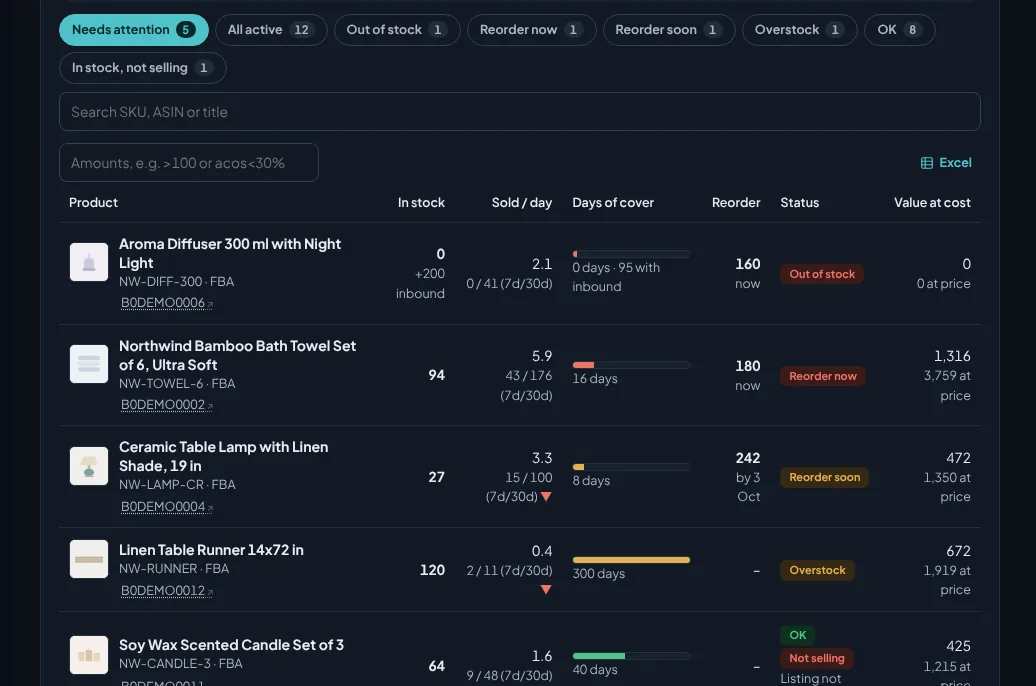
Days of cover at the current sales speed, reorder quantities for your lead time, inbound stock, and stranded, aged and overstocked units.
- Reorder now, no sales, stranded and inactive views
- Stock value at cost
- Planning settings: lead time, cover days, overstock threshold
Shipment plans rounded to case packs
How many units to send per product so stock lasts through the lead time and your cover days, in boxes, with a file to paste into Send to Amazon.
- Case packs per product
- Optional total-unit cap
- Nothing is created on Amazon without you
Is your deal actually showing?
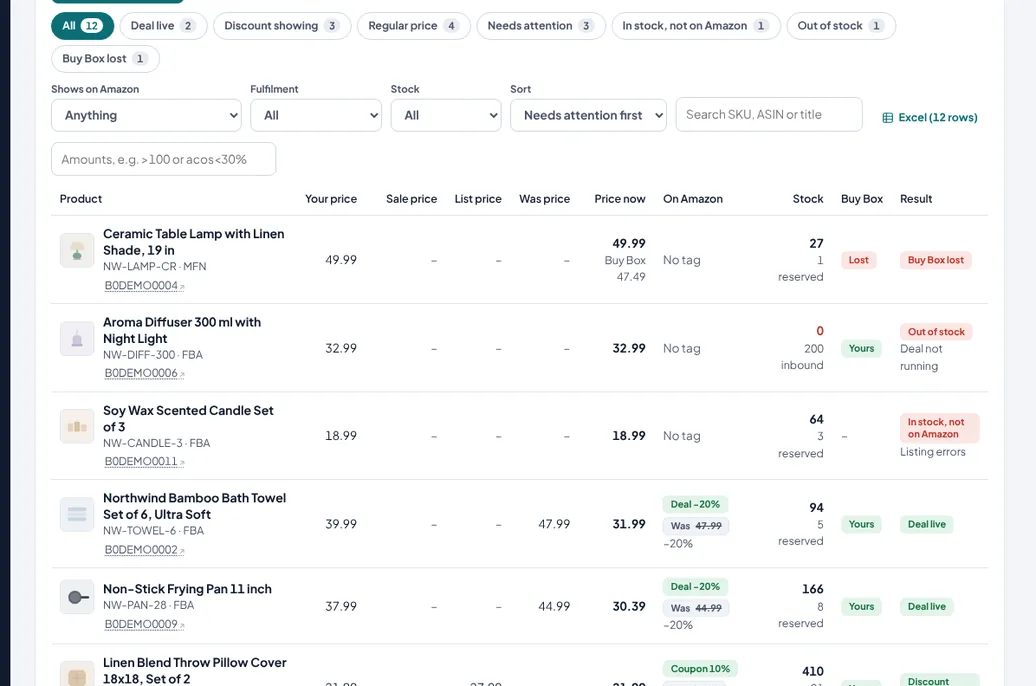
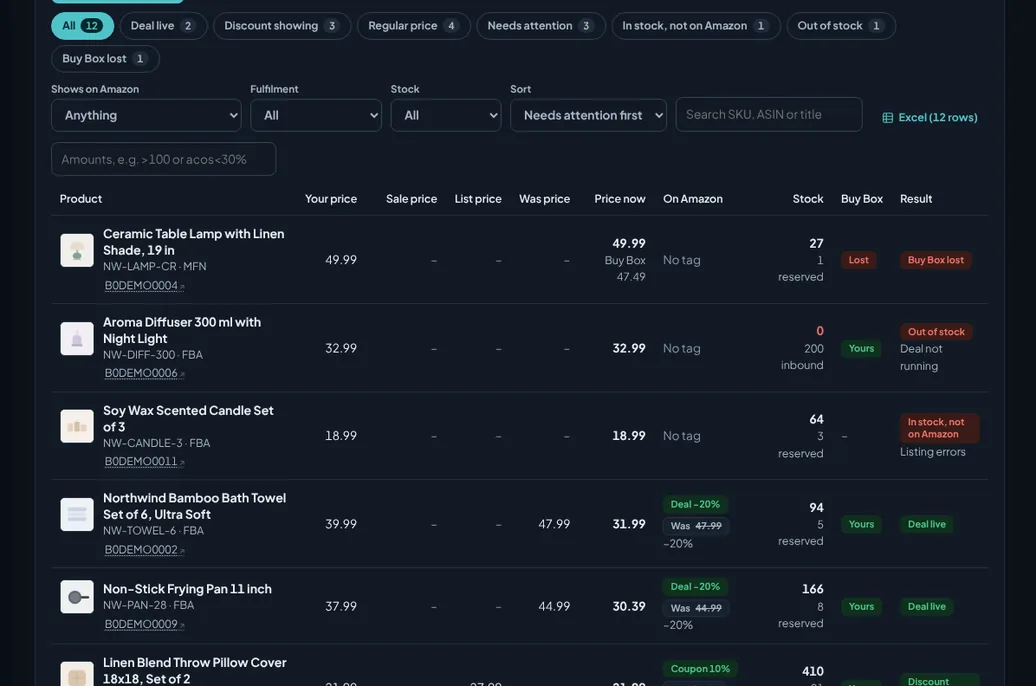
Every product in your catalogue, with the price shoppers pay now and why a deal or coupon is or isn't running.
Deals, coupons and prices for the whole catalogue
For every product: whether the deal badge, a coupon or a strike-through price shows, your price, sale and list price, Amazon's Was price, stock and the Buy Box.
- Why a deal isn't running, and stock that isn't showing on Amazon
- Check a deal file you submitted (Excel or CSV)
- Filter by state, tag and stock; export to Excel
Listings that pass Amazon's rules and sell
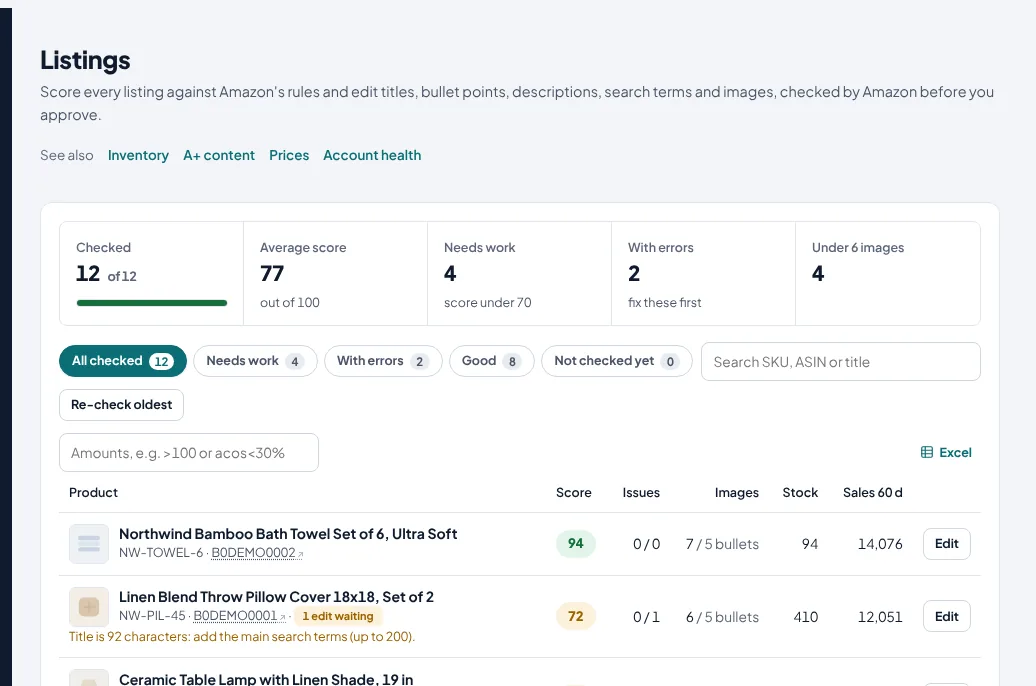
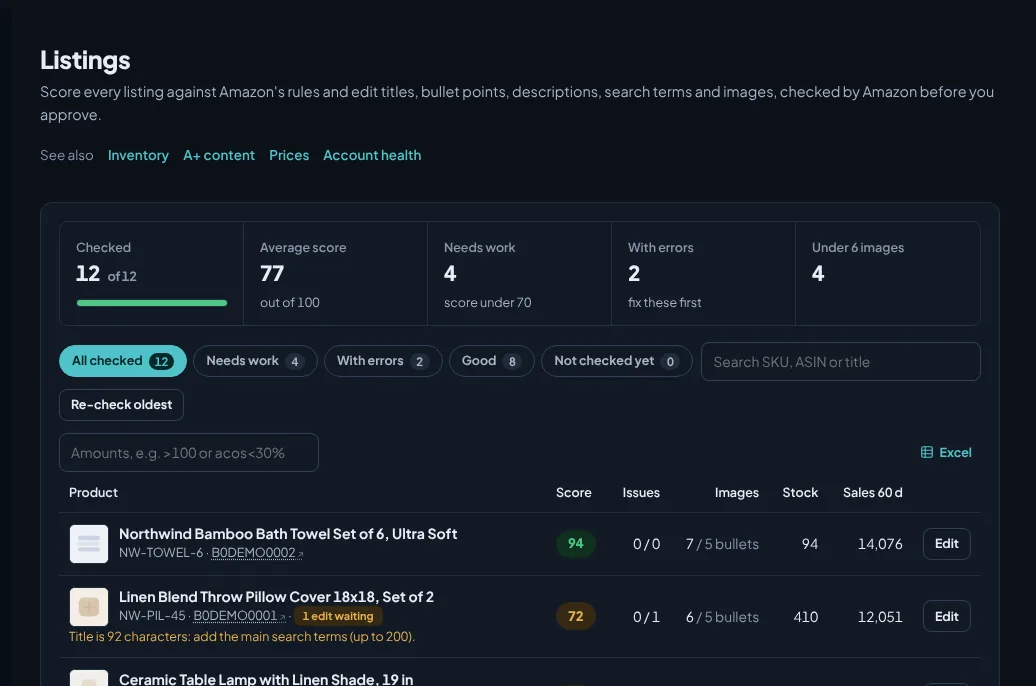
Every listing checked, best sellers first; edits go through Amazon's own validation before you approve them.
Fix titles, bullets, keywords and images in one place
Scores against Amazon's rules: title length and banned characters, five bullets, description, backend search terms, image count and Amazon's own listing issues.
- Editor with live checks
- Picture upload (JPEG or PNG, 1000 px+)
- Amazon validates the edit before it goes live
- Missing product pictures fetched from Amazon's catalog
Price changes with a safety limit
Propose price changes per SKU with a maximum change you set; they wait for your approval like any other change.
- Maximum price change percentage
- Logged and undoable
Keyword and product research from Amazon's own data
Find the keywords products win, products worth selling, and watch competitors: from Amazon's Brand Analytics, catalog and pricing, no scraping.
The searches any product wins
Enter up to 10 ASINs, yours or a competitor's, or a keyword. See the searches they win from Amazon's Brand Analytics, with click and purchase share, estimated searches per week, trend, competing products and Amazon's suggested bid.
- Word frequency and filters, copy or export to Excel
- The competitor products that win the same searches
- Your ad results and listing gaps for your own products
Products worth selling, with estimated sales
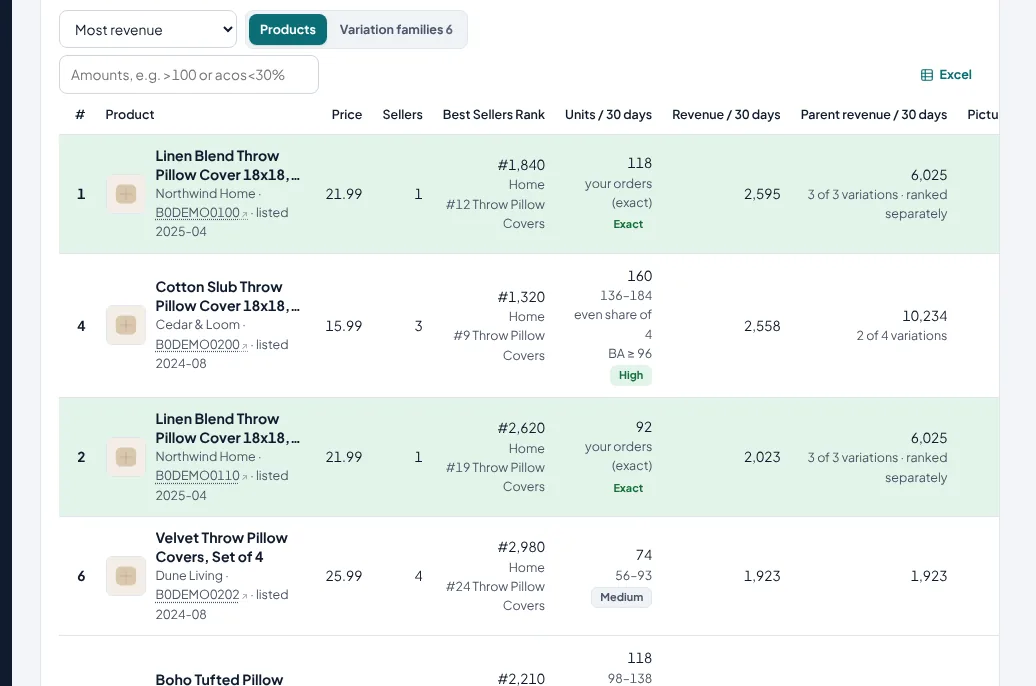
Search a product idea: price, sellers, Best Sellers Rank, and estimated monthly sales and revenue per variation, calibrated on your own sales and shown with a confidence level and a likely range. Pictures, variations and weight, with a market summary.
- Your own products exact, from your orders
- Presets: high demand with few sellers, weak listings, small and light, new and selling
- Sub-categories and brand filters
- Watch any product in one click
What shoppers search most, and who wins the Buy Box
Amazon's most searched terms with the 3 most clicked products, and a daily watch of prices, Buy Box and Best Sellers Rank for your products and competitors.
- Buy Box lost, suppressed or taken by another seller, flagged every morning
- Weekly changes: price cuts, rank jumps, new sellers
More reviews, fewer surprises
Amazon's own Request a Review, sent at the right time, and seller feedback watched daily.
Request a review for every eligible order
Once you switch it on: sent through Amazon's official Request a Review, 7 days after the order by default (you choose), within Amazon's 5 to 30 day window, never twice, with products you exclude left out.
- Coverage and counts per month
- Negative feedback flagged the same day
- Removal requests where Amazon allows them
- Review themes from your product reviews
Profit, payouts, returns and reimbursements
What you actually earn, when Amazon pays you, and what Amazon still owes you.
Profit per product after every fee
Sales minus Amazon fees, advertising, your product cost and shipping, per product and in total.
- Product costs per SKU from an Excel template, kept by date
- Break-even ACOS per product
- PDF and Excel reports: sales & traffic, advertising, profit, refunds and more, by email weekly or monthly, and daily on Growth and Agency
Every payout, explained
Amazon's settlement reports downloaded after every payout: sales, refunds, referral and FBA fees, storage, advertising and reimbursements, with the fee rate.
- The balance building up for the next payout
- Biggest fee lines
Returns explained, and money Amazon owes you
Return rate per product with Amazon's reasons in plain words; units lost or damaged in Amazon's warehouses and not yet reimbursed, with what to claim.
- High-return products flagged with advice
- Estimated value of unreimbursed units
- Paid reimbursements listed
Know what matters without logging in
Email when something needs you, and a weekly summary every Monday.
The morning check, by email
Late merchant orders, orders due within 24 hours, best sellers running out, return spikes, money owed by Amazon, new payouts, and suggestions waiting.
- Choose the minimum severity
- Send to any address
- Weekly summary: sales, ads, returns, payout and to-do list
- Change log with undo
For vendors: purchase orders to analytics
Sell to Amazon as a vendor (1P)? Connect Vendor Central instead of, or next to, Seller Central. Every screen below is for vendor accounts; ads work the same way with your vendor ads profile.
Acknowledge, ship and invoice without the portal
New purchase orders with their ship windows and Amazon's stock per line. Accept, backorder or reject each line, send the shipment notice and the invoice, each previewed before it goes to Amazon.
- Line-by-line decisions with Amazon's reject reasons
- Shipment notice with carrier and tracking
- Invoice with your tax rate and remit-to details
- Every submission's result: accepted or rejected, with Amazon's error
Direct Fulfillment orders on time
Acknowledge each dropship order, confirm it with the tracking number, and download Amazon's label and packing slip. Customer names and addresses are not stored.
- Late and due orders flagged every morning
- Labels and packing slips as files
- Stock updates for your dropship warehouse
Amazon's vendor reports, made readable
Ordered and shipped revenue, units, glance views, conversion and net PPM by day and by ASIN; Amazon's stock of your products with days of cover; the weekly demand forecast.
- 7, 30 and 90 days against the period before
- Out-of-stock ASINs that still have ads running
- Ad spend and TACOS against ordered revenue
Marketplaces, logins and billing
Built for sellers with more than one marketplace, and for agencies with more than one seller.
Every marketplace, one account
Connect Seller Central and Amazon Ads per region; switch marketplace from the top of the dashboard; add, pause or remove a marketplace without Amazon.
- Several Seller Central and Ads logins
- Team seats with admin, manager and view-only roles
- All marketplaces side by side, totals in one currency
- Per-marketplace settings and automation
- Receipts as PDF, plan changes and cancellation in your account
- Delete all your data in one step
Every feature in depth
One page per feature: how it works, what it does not do, and the questions sellers ask.
PPC autopilot
An autopilot for bids, budgets, negatives and harvesting that never goes past your limits.
Bid optimization
Bid and budget changes every morning, each with the clicks, spend, orders and ACOS behind it.
Search term harvesting
Negative keywords for searches that never sell, and winners harvested into exact-match campaigns.
Dayparting and placements
Pause campaigns in the hours you choose, and the right bid for top of search and product pages.
Campaign builder
New campaigns in a guided wizard: products, structure, keywords, bids and a budget within your cap.
Profit analytics
Profit per order and per product after every Amazon fee, ad cost and your product cost.
Restock planner
Days of cover, reorder quantities for your lead time, and FBA shipment plans rounded to case packs.
Reimbursements and returns
Return rates with Amazon's reasons, refunds still pending, and units Amazon lost or damaged and still owes you.
Account health
Your Account Health Rating and every policy with violations, checked every day.
A-to-z claims
Orders at risk of an A-to-z claim with the Amazon message that fits, and every claim and chargeback per order.
Review requests
Amazon's own Request a Review for every eligible order, sent at the right time, never twice.
Buyer messages
Five automatic buyer messages with your own templates, checked against Amazon's rules, sent only through Amazon.
Keyword research
The searches any product wins, from Amazon's Brand Analytics, with click and purchase share.
Product research
Products worth selling, with estimated sales per variation calibrated on your own sales.
Deals tracker
Whether each deal badge, coupon and strike-through price really shows, and why not.
Listing optimization
Listing scores against Amazon's rules, and an editor whose edits Amazon validates first.
Why sales changed
Why sales went up or down: visits, buyers per visit, price and mix, then the cause per product.
Cart to orders
Why add-to-carts do not become orders, per product, against the market on the same searches.
Advertise more or less
Each product scored for advertising: push, keep, pull, stop or fix first, with the reasons.
A/B tests
Test a bid, budget or top-of-search change against a matched control group before you roll it out.
Strategies
Six ads playbooks: Launch, Rank, Growth, Profit, Defend and Liquidate, with an advisor per campaign.
Video ads
Sponsored Brands video against static ads, creative tests, and new video ads proposed for approval.
Budgets & hours
When your shoppers buy, when your ad money runs out, and the quiet hours to switch ads off.
Category explorer
Watch a category by day, week or month: products, brands, shares, rank movers and the searches each wins.
Rankings
Organic position of your product for each tracked keyword every day, next to your ads on the same search.
Returns & SAFE-T
Return rates and reasons per product, merchant returns to check in, and the SAFE-T claims your answers open.
Payouts & fees
Every Amazon payout with its breakdown, the overall fee rate, the biggest fee lines and the next payout building up.
Vendor stock & forecast
Amazon's own stock of your products as a vendor, days of cover, aged units, and Amazon's weekly forecast.
Questions sellers ask
What does SellerPilot do?
Is every feature on every plan?
Does SellerPilot change my campaigns by itself?
Where does the data come from?
How fresh is the data?
Do I need Amazon Ads to use SellerPilot?
Does it work for Vendor Central?
Can I use SellerPilot from Claude or ChatGPT?
Try SellerPilot on your own store
Connect Amazon in about five minutes. Your first data arrives within hours and your first suggestions the next morning.
No card needed. Nothing to cancel.