
Automatic buyer messages, your templates, sent only through Amazon
SellerPilot sends five kinds of automatic buyer messages, each with your own template and its own on/off switch, all off until you switch them on. Every template is checked against Amazon's messaging rules before a rule can run, and every message goes through Amazon's Buyer-Seller Messaging, never email.
Five automatic buyer messages with your own templates, checked against Amazon's rules, sent only through Amazon.
- Five situations, each with its own switch
- Templates checked against Amazon's rules first
- Sent once per order and rule, only through Amazon
- Write with AI drafts templates and replies
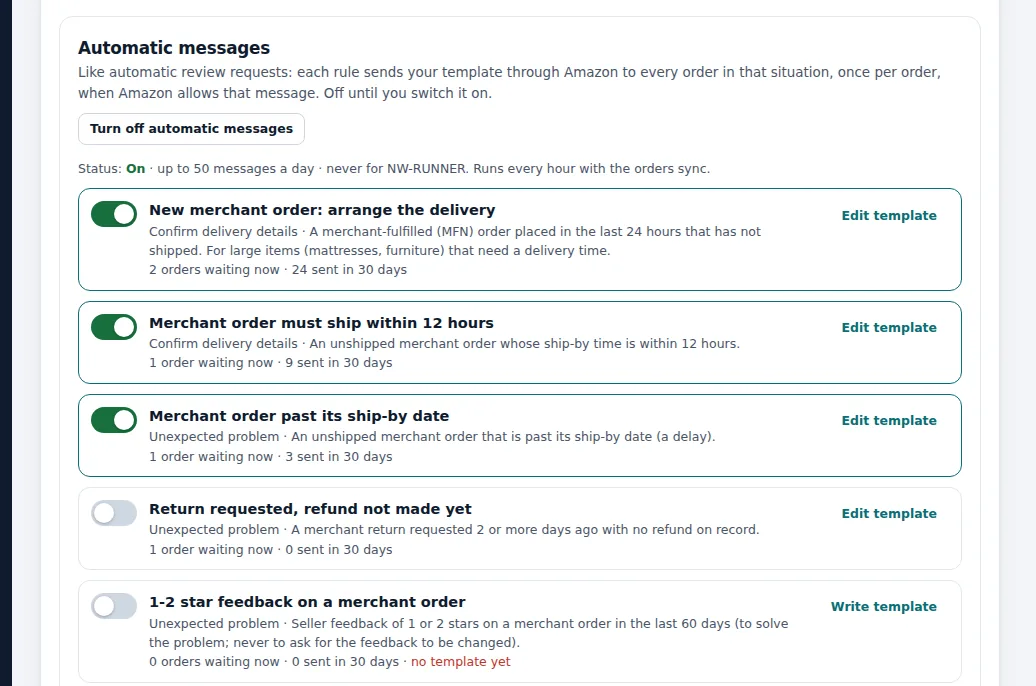
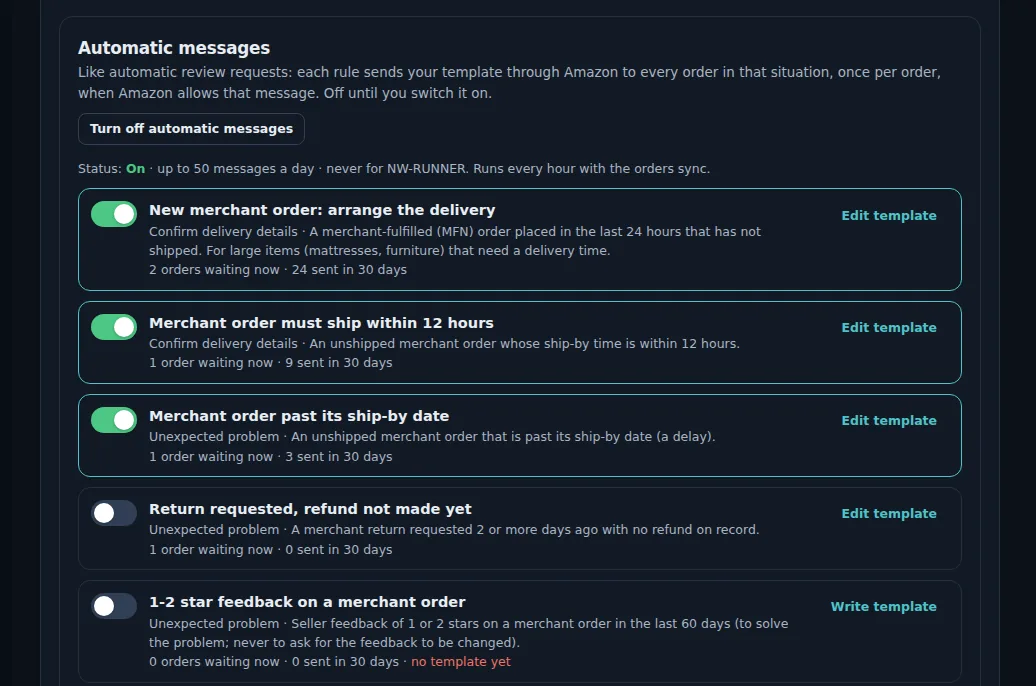
Demo store with sample data.
How it works
Write a template
Write your own, or ask Write with AI for a draft with placeholders for the order number, product and ship-by date.
Pass Amazon's rules
Each template is checked: only about the order, no links, email addresses, marketing or review requests.
Switch the rule on
Each of the five rules has its own switch, excluded SKUs and a daily limit.
Messages go out through Amazon
Once per order and rule, and only when Amazon offers that message type for the order.
See what was sent
Orders waiting and messages sent in the last 30 days, per rule.
A late merchant order
An order for a lamp missed its ship-by date because the courier did not collect. The rule "Order past its ship-by date" is on, with the seller's template: a short apology, the new expected ship date and the order number placeholder.
The next morning SellerPilot sends it once, through Amazon's Buyer-Seller Messaging, as the message type Amazon allows for that order.
The buyer knows what is happening before they think about a claim, and the message appears in the rule's 30-day count.
Illustrative numbers, not a customer result.
The five situations
Each one is a moment where a short, factual message prevents a problem.
- Arrange delivery for a new merchant order
- An order that must ship today
- An order past its ship-by date
- A return whose refund is still pending
- 1-2 star feedback on a merchant order
Amazon's messaging rules, built in
Amazon allows messages that are needed to complete an order or answer a buyer, and forbids marketing, links, email addresses, attachments that are not needed and review requests outside its own tool. Breaking these rules can cost messaging permissions or worse. SellerPilot checks each template before a rule can be switched on, and Write with AI follows the same rules when it drafts a message or a reply to a buyer message you paste in.
What it does not do
Stated plainly, so you know before you start.
- It never emails buyers or uses personal or external email addresses
- It does not send a message type Amazon does not offer for the order
- It does not read incoming buyer messages: Amazon's API does not provide them, so you answer in Seller Central
Questions sellers ask
Is it allowed to send automatic messages to Amazon buyers?
Can SellerPilot answer buyer messages?
Are automatic messages on by default?
Can I exclude products?
Related features
A-to-z claims
Orders at risk of an A-to-z claim with the Amazon message that fits, and every claim and chargeback per order.
Learn moreReview requests
Amazon's own Request a Review for every eligible order, sent at the right time, never twice.
Learn moreAccount health
Your Account Health Rating and every policy with violations, checked every day.
Learn moreRestock planner
Days of cover, reorder quantities for your lead time, and FBA shipment plans rounded to case packs.
Learn moreTry SellerPilot on your own store
Connect Amazon in about five minutes. Your first data arrives within hours and your first suggestions the next morning.