
Is your Amazon deal actually showing?
For every product in your catalogue, SellerPilot shows whether the deal badge, a coupon or a strike-through price shows to shoppers, your price, sale and list price, Amazon's Was price, stock and the Buy Box, and why a deal or coupon isn't running when it should be.
Whether each deal badge, coupon and strike-through price really shows, and why not.
- Deal badge, coupon and strike-through checked per product
- Why a deal isn't running
- Check a deal file you submitted (Excel or CSV)
- Filter by state, tag and stock; export to Excel
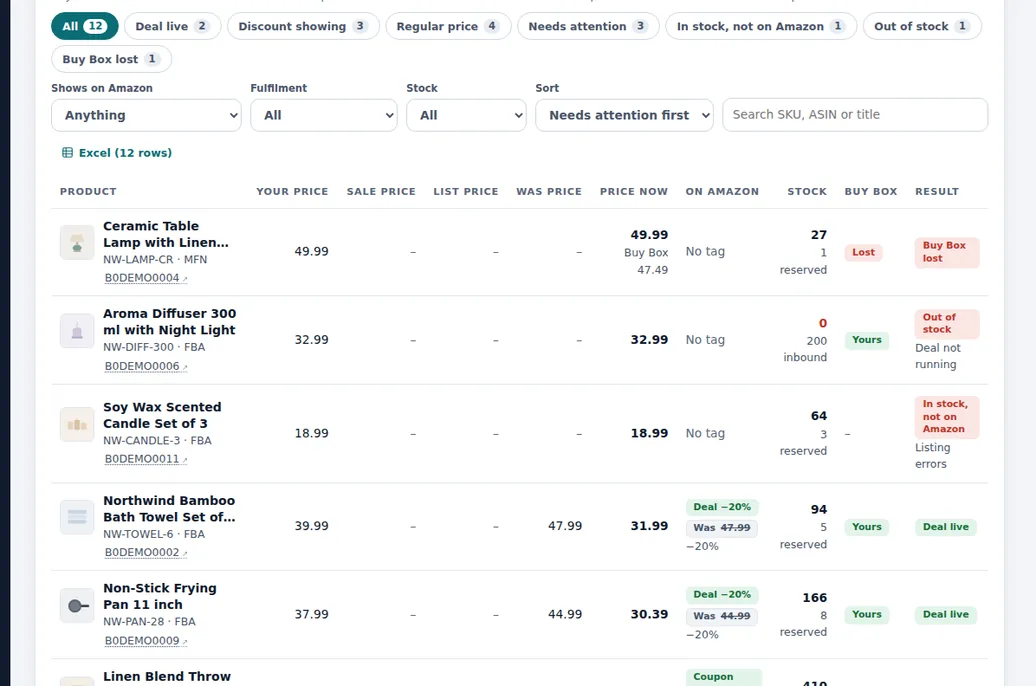
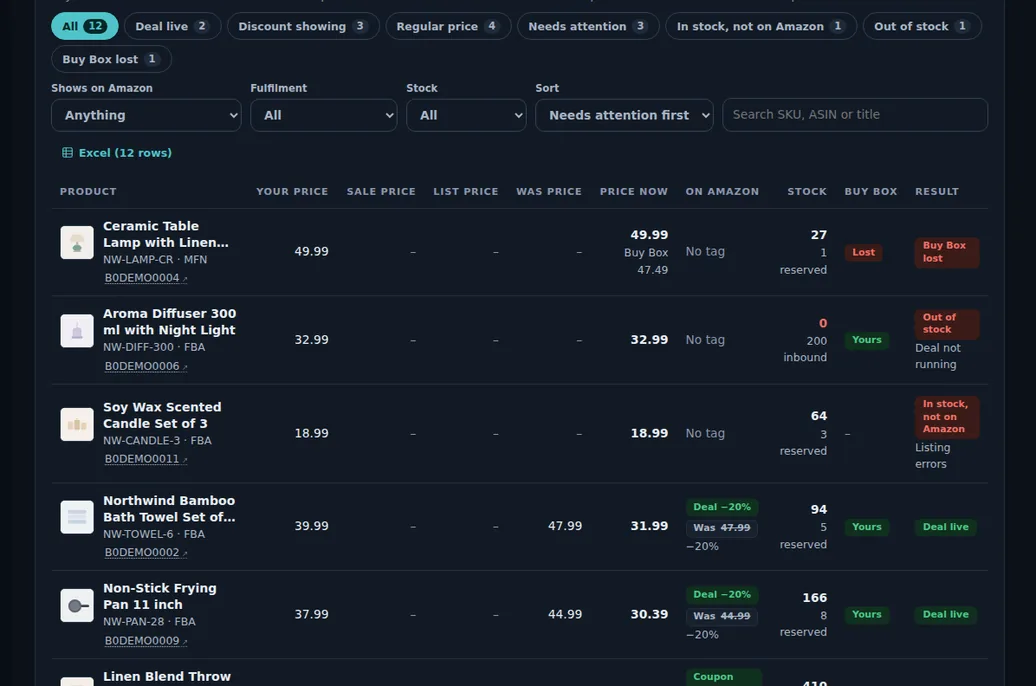
Demo store with sample data.
How it works
Your catalogue loads
Every product with its price, sale and list price, Amazon's Was price, stock and Buy Box.
Each promotion is checked
Whether the deal badge, a coupon or a strike-through price actually shows.
Problems are explained
Buy Box lost, out of stock or listing not on Amazon: the reason a deal or coupon is not showing.
Check a deal file
Upload the Excel or CSV you submitted for a sale event and see which lines will show.
Act and export
Filter by state, tag and stock, and export to Excel.
The day before a sale event
A seller submitted a deal file with 40 products for White Friday. The day before, SellerPilot checks the file: 34 will show the deal, 4 lost the Buy Box to another seller, and 2 have stock that is not live on Amazon.
They fix the two stock problems and reprice one product to win back the Buy Box. The sale event is set in SellerPilot, so the autopilot raises budgets and makes no cuts while it runs.
During the event the deals screen shows the badge live on 37 products, with the reason for the other 3.
Illustrative numbers, not a customer result.
Why deals fail silently
A deal can be approved and still not show: the product lost the Buy Box, ran out of stock, or the price is not low enough against Amazon's reference price for the strike-through to appear. Amazon rarely tells you; you notice when the sale event is over. Checking every product before and during the event catches these while they can be fixed.
Before a big sale event
- Check the deal file you submitted line by line
- Fix Buy Box and stock problems before the event starts
- Set the event in SellerPilot so the autopilot raises budgets and makes no cuts while it runs
What it does not do
Stated plainly, so you know before you start.
- It does not create deals or coupons on Amazon
- It reflects what Amazon's data shows; Amazon's display can differ briefly by region or device
- It does not set prices without your approval
Questions sellers ask
Why is my Amazon deal not showing?
What is the Was price on Amazon?
Can I check a deal file before an event?
Does the autopilot know about sale events?
Related features
Restock planner
Days of cover, reorder quantities for your lead time, and FBA shipment plans rounded to case packs.
Learn moreProfit analytics
Profit per order and per product after every Amazon fee, ad cost and your product cost.
Learn morePPC autopilot
An autopilot for bids, budgets, negatives and harvesting that never goes past your limits.
Learn moreListing optimization
Listing scores against Amazon's rules, and an editor whose edits Amazon validates first.
Learn moreTry SellerPilot on your own store
Connect Amazon in about five minutes. Your first data arrives within hours and your first suggestions the next morning.