
Your Amazon team of AI agents
They work every day, check every change, and show you the result. Small, checked, visible and reversible changes, never a promise that every change is right.
SellerPilot is a team of agents for your Amazon store. Six specialists cover ads, prices, stock, listings, customers and profit; six more run the daily cycle from data to report. Each area has one switch: Off, Suggest (every change waits for you) or Auto (small changes run inside your limits).
- Six gates before any change reaches Amazon
- One switch per area: Off, Suggest or Auto
- Agent home and a morning email show what was done, what waits, what was held back and the measured result
- Every change logged with its reason, and undoable
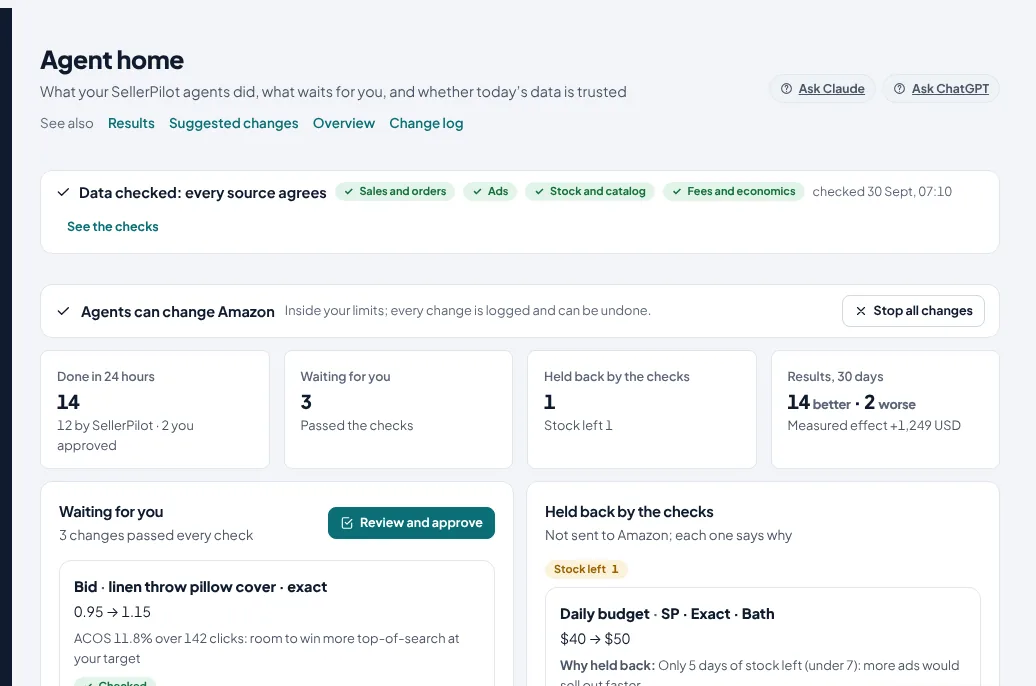
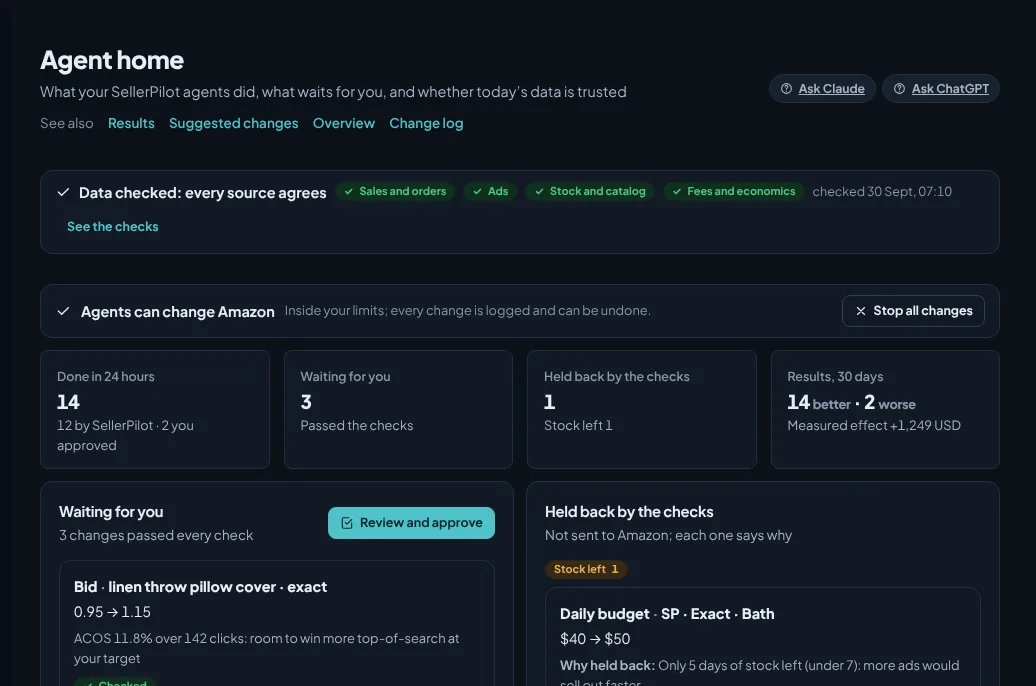
Demo store with sample data; illustrative numbers, not a customer result.
Six specialists
Each one knows one part of your store.
Ads
Bids, budgets, negatives, harvesting and ad hours, every morning after Amazon's reports arrive.
Prices and Buy Box
Price suggestions inside your band when the Buy Box is lost or a price is off break-even.
Stock
Pauses ads for products that cannot sell, plans restocks and FBA shipments.
Listings
Scores every listing against Amazon's rules and drafts the fix.
Customers and claims
Orders at risk of a claim, account health, SAFE-T and reimbursement cases.
Profit
Profit per order and product after every fee, break-even ACOS per product.
Six that run the cycle
The same loop every morning, in each marketplace's own time.
Data
Loads Amazon's reports and checks them against each other.
Planner
Turns the numbers into proposals, each with its reason.
Checker
Re-tests every proposal in a separate step before it can run.
Executor
Applies the change on Amazon with a preview and a read-back.
Auditor
Measures every change 14 days later and undoes what lost money, or asks you to.
Reporter
Agent home and a morning email when there is something to tell: done, waiting, held back, results.
Six gates before any change reaches Amazon
A change has to pass every one of them, in this order.
Data check
Once a day the data is compared across Amazon's own sources, and a change is applied only when the latest check passed: units in your orders against Amazon's Sales & Traffic report, ad spend in the campaign reports against the product reports, how old the stock read and the fee estimates are. When sources disagree or a report is late, that area is held for the day and the reason is shown.
Independent check
A second check re-tests every proposed change from the stored data, in a separate step from the one that proposed it: the data was checked today, it is fresh, no hold after an undo, enough stock left for more ads, the Buy Box is held, no cut while a sale event runs, the campaign is past its first week. A change that fails waits on Agent home with the rule that stopped it.
Hard limits
Every automatic ad change has to fit all 8 guardrails you set: account-wide daily budget cap, lowest and highest bid, highest daily budget per campaign, largest bid and budget move per run and the rest. Prices stay inside your price band, review requests are Amazon's own, stock pauses only pause.
Amazon preview and read-back
Before a change is applied, the current value is read from Amazon; after it is applied, it is read again to confirm it took effect. A change that did not take is reported, not assumed.
Outcome check with automatic undo
Fourteen days after a change, once Amazon's late orders are in, its spend and sales before and after are compared, minus what the rest of your store did over the same days. A change that lost more than the smallest amount worth acting on is undone: by itself when the autopilot made it, otherwise it asks you.
Kill switch and log
One button on Agent home stops every change. Every change is in the log with its reason, who made it, and Undo where Amazon still shows the value; a change you undo is left alone for 14 days.
What runs alone and what asks first
Per area. Auto is off until you switch it on.
| Area | Runs by itself on Auto | Still asks you first | Switch |
|---|---|---|---|
| Ads | Bids toward your target ACOS, budgets for winners within the cap, negatives for wasted searches, harvested search terms into exact campaigns, ad hours | New campaigns over your limit, anything outside the guardrails | Off · Suggest · Auto |
| Prices | One step inside your price band (lowest and highest price), never below break-even, at most 5 a day per store, 7 days between moves on a product, not during a sale event or a deal | Every price without a band or a known cost; anything outside the band | Off · Suggest · Auto |
| Stock | Ads of out-of-stock products paused, put back when stock is in | Shipments and supplier orders | Off · Suggest · Auto |
| Reviews | Amazon's Request a Review for every eligible order, 7 days after the order by default | Nothing: Amazon writes the message | Off · Suggest · Auto |
| Listings | Fixes drafted against Amazon's listing rules | Every listing submit | Off · Suggest |
| Claims | SAFE-T and reimbursement cases found, deadlines tracked, replies drafted | Every filing | Off · Suggest |
Suggest mode is on every plan. Auto mode is part of the Growth plan and up. Listings and claims never run by themselves: submitting a listing and filing a claim are yours.
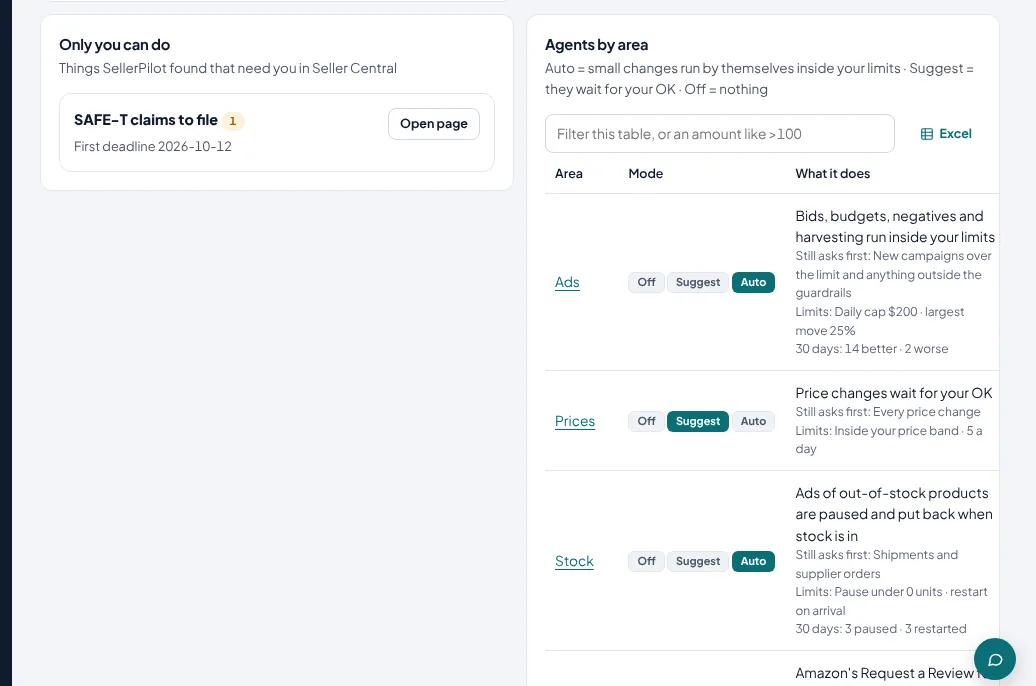
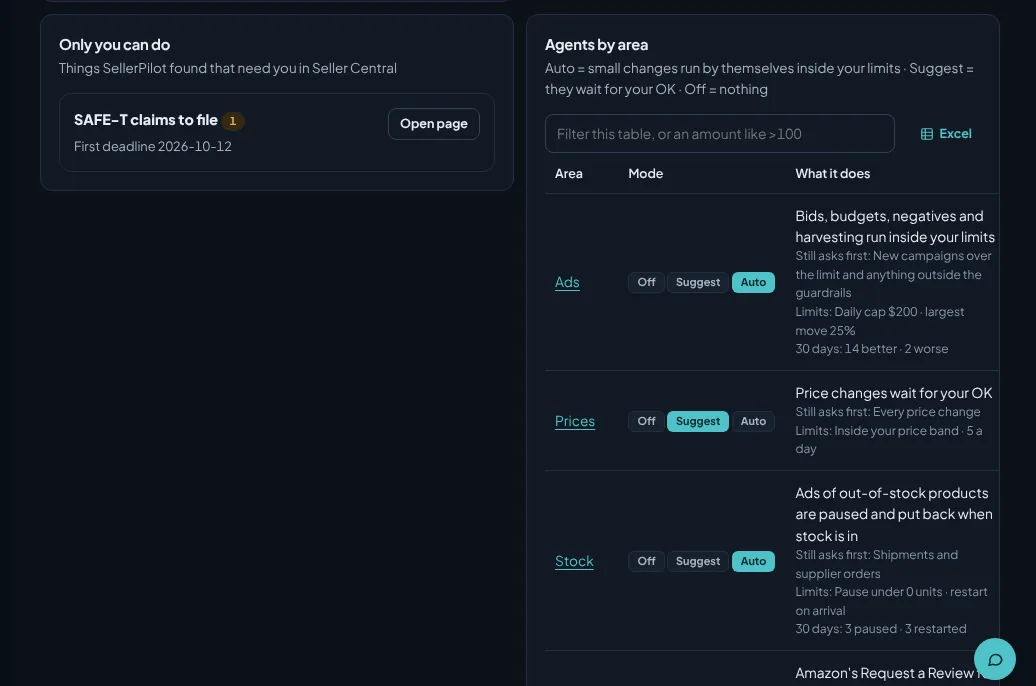
Demo store with sample data; illustrative numbers, not a customer result.
The result, in money
Fourteen days after a change, once Amazon's late orders are in, each change is compared with the untouched rest of your store over the same days. What it earned or lost is on the Results page with the numbers behind it; a change that lost money is undone, or proposed as an undo for your OK.
- Measured effect in your currency, by step and by who made the change
- Changes that lost money, and whether they were undone
- What Amazon paid back and what is ready to file
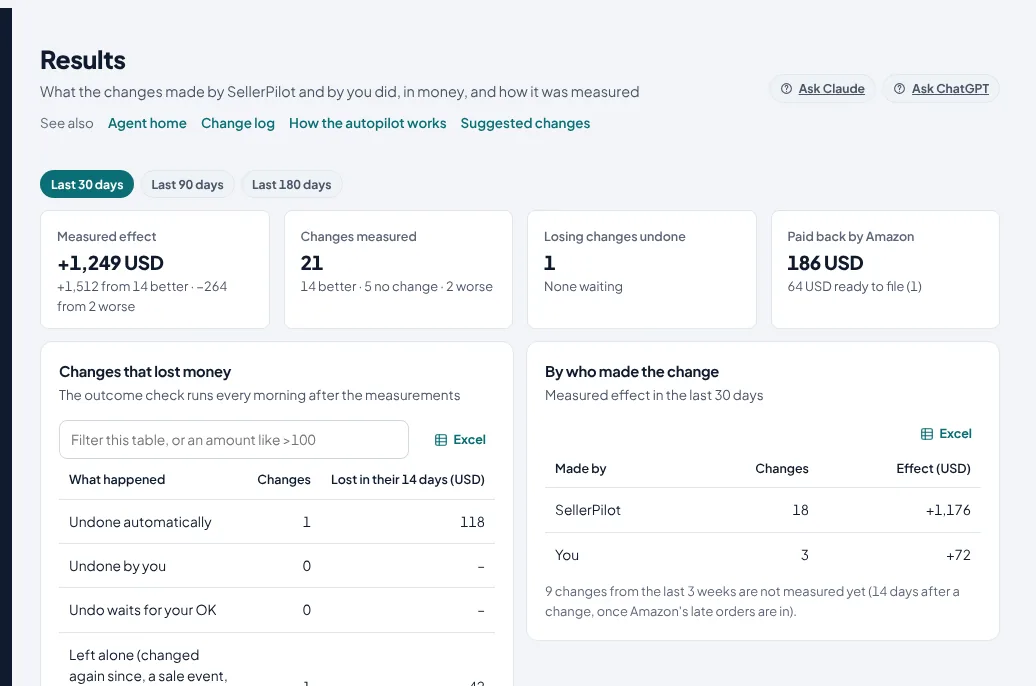
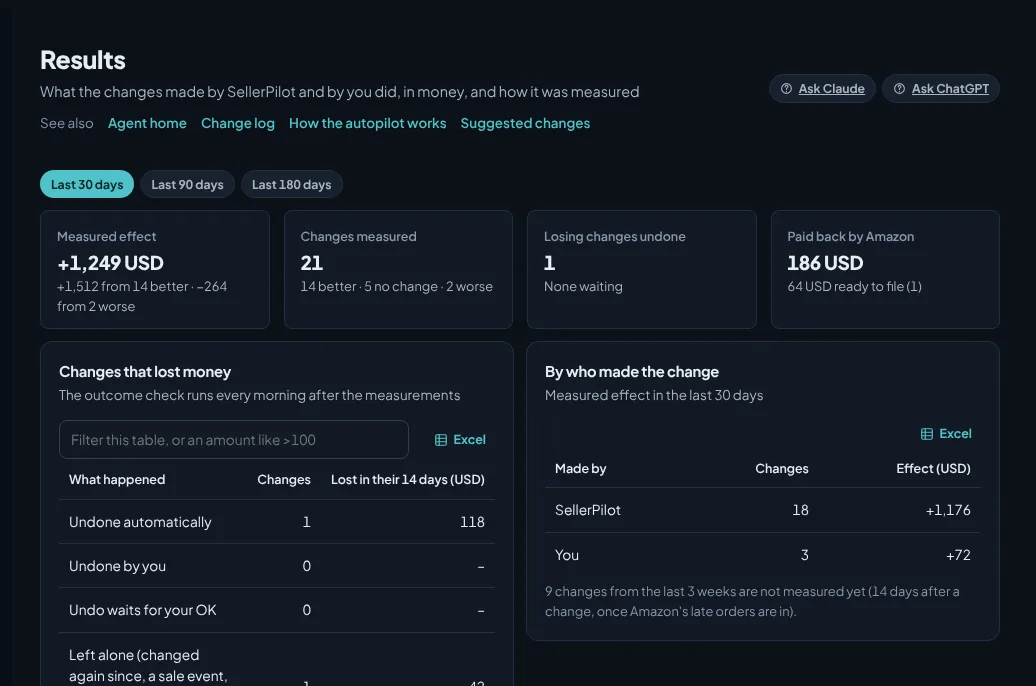
Demo store with sample data; illustrative numbers, not a customer result.
What it does not do
Stated plainly, so you know before you start.
- It does not promise that every change is right: the gates make each change small, checked and reversible
- It does not submit listings, file claims, create shipments or acknowledge purchase orders by itself; buyer messages go out by themselves only for the automatic message rules you switch on
- It does not change prices without a price band and a known cost
- It does not run Auto on the Starter plan or during a trial without a plan: those accounts get every suggestion and approve it
- It reads only through Amazon's official APIs: your own accounts and Amazon's public catalogue; nothing is bought from third parties and no other seller's account data is used
Questions sellers ask
Does SellerPilot change my Amazon account by itself?
What stops a wrong change?
How do I know what the agents did?
What never runs by itself?
How are results measured?
Can I stop everything?
See the agents on your own store
Every area starts on Suggest: nothing changes until you say so.
No card needed. Nothing to cancel.